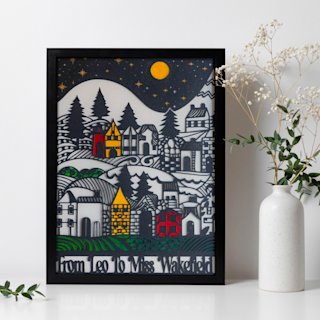
Articles 18 min read

Best Cricut Blade for Cardstock: Fine vs Deep Cut Guide

Your comprehensive guide to best cricut blade for cardstock.

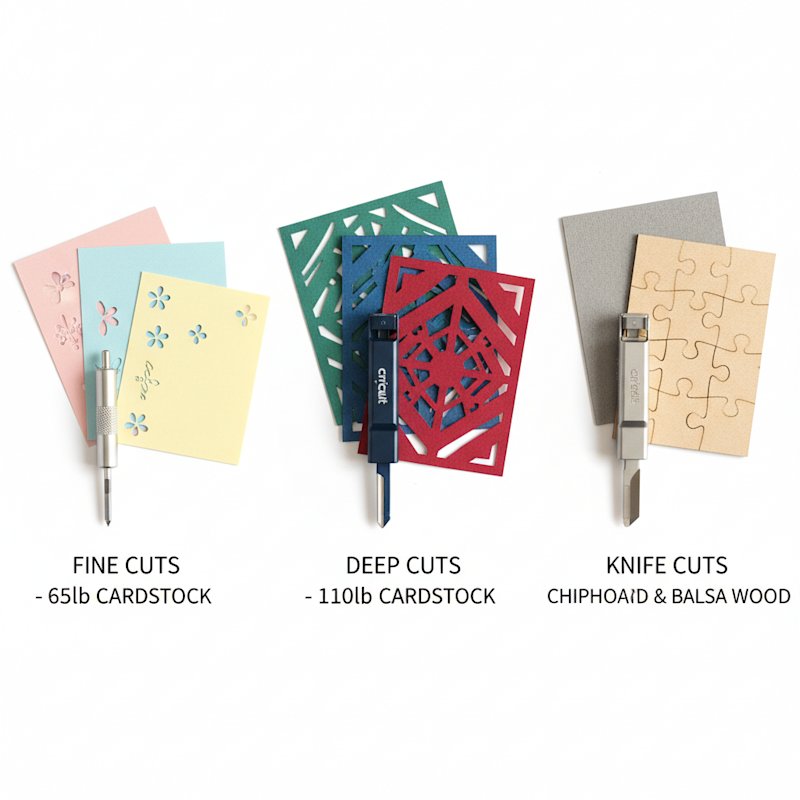
Comparison of Cricut blades for cardstock cutting

Best Cricut Blade for Cardstock: Fine vs Deep Cut

You're excited to cut intricate cardstock layers for your shadow box, you load your mat, hit "Go"—and the blade tears through your premium paper like a lawnmower through tissue. Or worse, it barely scratches the surface, leaving you with half-cut designs that fall apart when you try to weed them.

The culprit? You're using the wrong Cricut blade for cardstock.

Choosing the right blade isn't just about compatibility—it's about matching blade angle, steel hardness, and cutting power to your specific cardstock weight and project complexity. The Fine Point blade that works beautifully on 65lb cardstock will struggle with 110lb glitter stock. The Knife Blade that powers through chipboard might obliterate your delicate paper cut details.

This guide breaks down the three main Cricut blade options for cardstock: Fine Point, Deep Cut (Deep Point), and Knife Blade. You'll learn the specifications that matter, when to use each blade, and how to avoid the expensive mistakes that ruin both your projects and your blades.

Understanding Your Cricut Blade Options

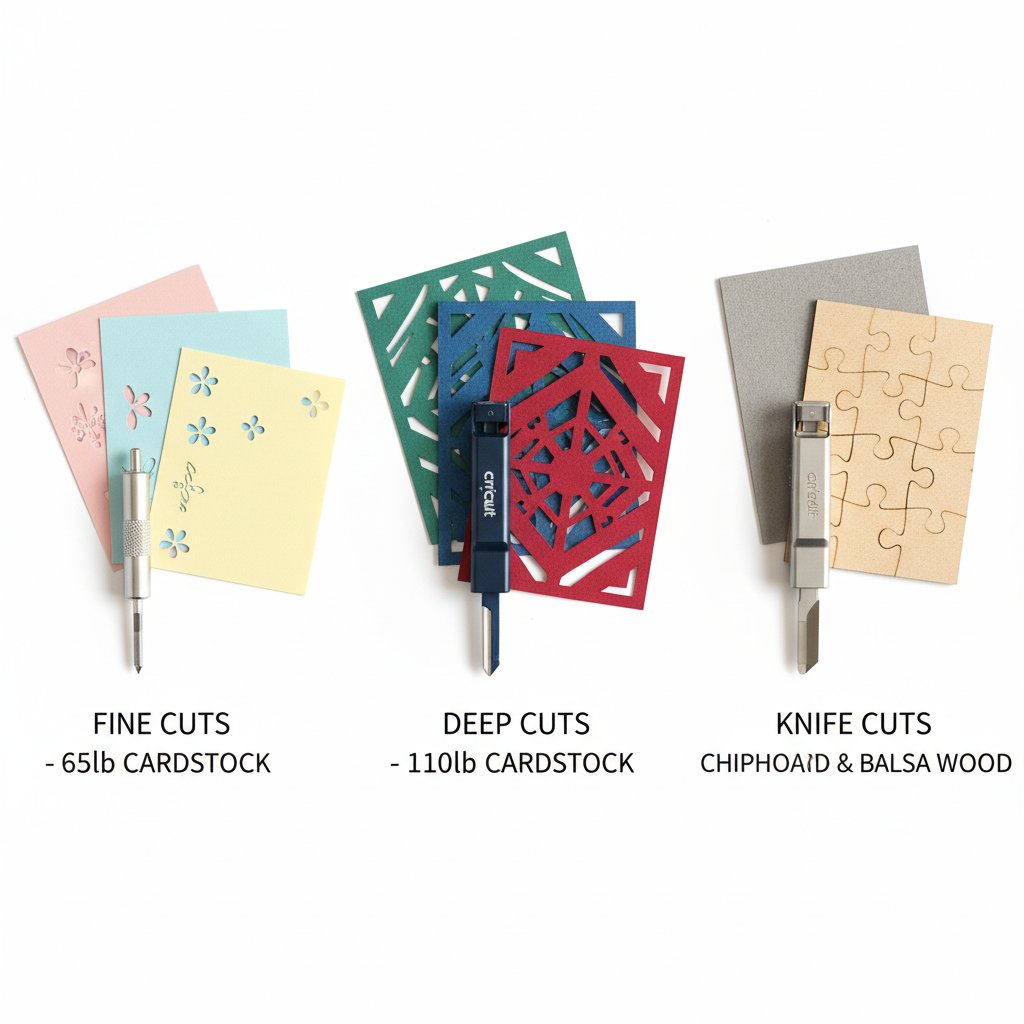
Comparison of Cricut blades for cardstock cutting

For complete troubleshooting help, see the comprehensive cardstock troubleshooting guide.

Cricut offers three blades that can technically cut cardstock, but each is designed for different material weights and cutting requirements. Here's the quick overview:

Blade Type Blade Angle Material Strength Best For Machine Compatibility
Fine Point 45° German carbide steel Regular cardstock (65-80lb) All Cricut machines
Deep Point (Deep Cut) 60° Hardened steel Thick cardstock (80-110lb+) Explore & Maker
Knife Blade Beveled edge Heavy-duty steel Chipboard, matboard, wood Maker only

The key differences come down to three factors:

  1. Blade Angle: Steeper angles (60°) cut deeper and handle thicker materials better than shallow angles (45°)
  2. Material Hardness: Harder steel resists dulling on tough materials but may be unnecessarily aggressive on thin paper
  3. Cutting Depth: How far the blade extends and how much pressure it can apply

Understanding these differences helps you choose the right tool for your cardstock project instead of forcing one blade to do jobs it wasn't designed for.

Fine Point Blade: The Cardstock Workhorse

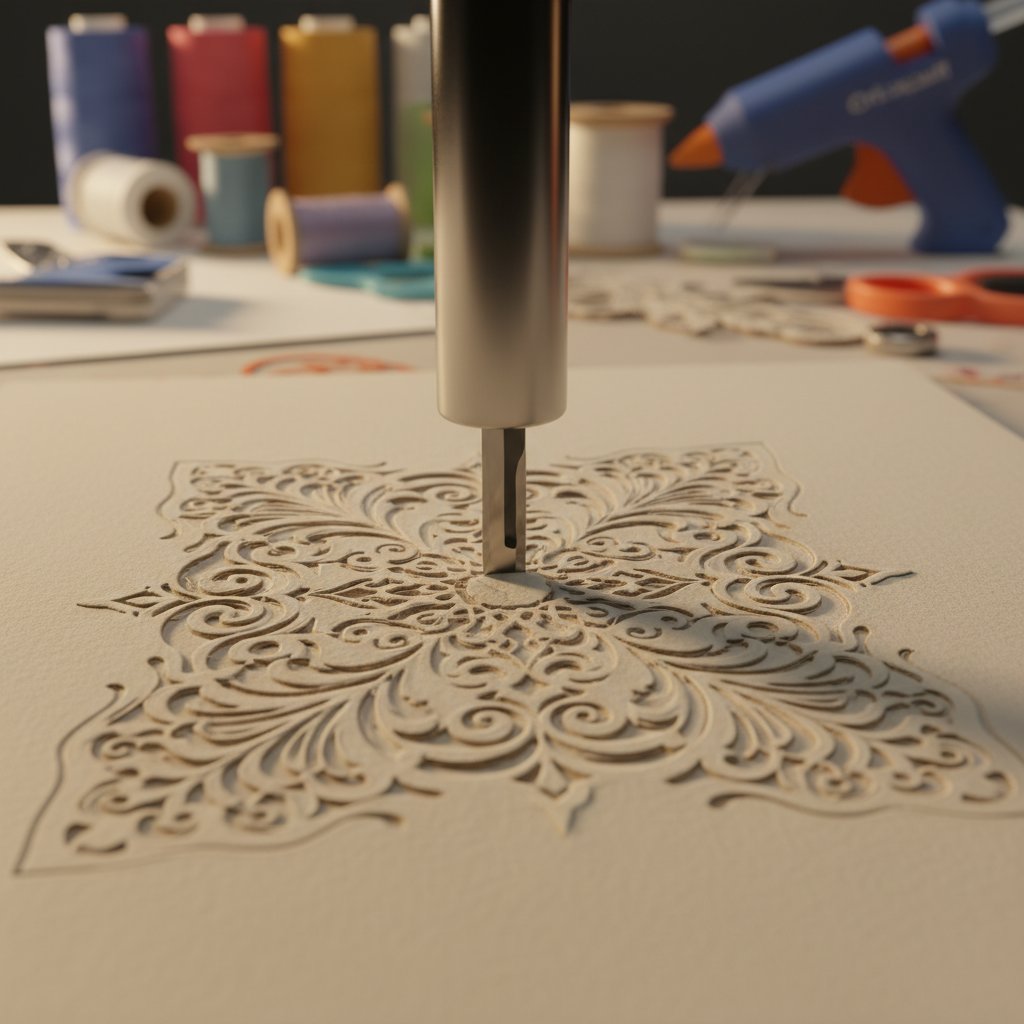
Fine Point blade cutting intricate cardstock design

The Fine Point Blade is the default blade that comes with every Cricut machine. It's the most versatile option and handles the majority of cardstock projects without issue.

Technical Specifications

  • Blade Angle: 45 degrees
  • Material: German carbide steel
  • Housing Color: Silver or gold (premium)
  • Compatible Materials: Paper, cardstock (up to 80lb), vinyl, iron-on, poster board
  • Machine Compatibility: Joy, Explore Air 2, Explore 3, Maker, Maker 3

The 45-degree angle provides the optimal balance between cutting power and detail preservation for thin to medium-weight materials. German carbide steel offers excellent sharpness retention for thousands of cuts on standard cardstock.

Ideal Cardstock Types for Fine Point

The Fine Point blade excels with:

  • Regular cardstock: 65lb to 80lb weight
  • Smooth finish cardstock: Cricut Cardstock, Bazzill Basics
  • Textured cardstock: Linen, canvas, embossed (up to 80lb)
  • Light glitter cardstock: 65-75lb glitter finish
  • Patterned paper: Most scrapbook papers

For shadow box projects using standard 65lb cardstock layers, the Fine Point blade delivers clean cuts with excellent detail preservation. The 45-degree angle allows intricate designs without tearing delicate connecting points.

Pros for Cardstock Projects

Clean Detail Work: The Fine Point blade cuts intricate designs without ripping delicate bridges or narrow cuts. Perfect for detailed shadow box layers with fine linework.

Minimal Blade Drag: The shallower angle reduces resistance through paper fibers, preventing the "rough edge" problem common with over-aggressive blades.

Universal Compatibility: Works on every Cricut machine, so you don't need to upgrade to Maker for basic cardstock work.

Cost Effective: Fine Point blades are the least expensive option ($10-15 for replacements) and last for thousands of cardstock cuts with proper care.

No Special Settings Required: Design Space auto-detects Fine Point and applies appropriate pressure settings for cardstock materials.

Cons and Limitations

Struggles with Heavy Cardstock: Anything over 80lb requires multiple passes or higher pressure, increasing the risk of mat shifting and misaligned cuts.

Glitter Cardstock Dulling: The abrasive glitter particles dull Fine Point blades faster than smooth cardstock, requiring more frequent replacement.

Limited Cutting Force: You can't compensate for inadequate cutting power just by increasing pressure—eventually you hit the blade's physical limits.

When to Choose Fine Point

Use the Fine Point blade when:

  • Working with standard 65-80lb cardstock
  • Cutting highly intricate designs with delicate details
  • Creating multi-layer shadow boxes with standard cardstock
  • Budget is a concern (most affordable blade option)
  • Using Cricut Joy or entry-level Explore machines

The Fine Point blade should be your default choice for 90% of cardstock projects. Only upgrade to Deep Cut when you encounter consistent cutting problems with thicker materials.

For optimal Fine Point blade performance with cardstock:

  • Material Setting: "Cardstock, 80lb" or "Medium Cardstock"
  • Pressure: Default to "More" for 65-80lb; increase to "More+" for textured cardstock
  • Multi-Cut: Enable for cardstock over 75lb or intricate designs
  • Mat: LightGrip (blue) for standard cardstock; StandardGrip (green) for textured or curled cardstock

Deep Point Blade: The Heavy Cardstock Champion
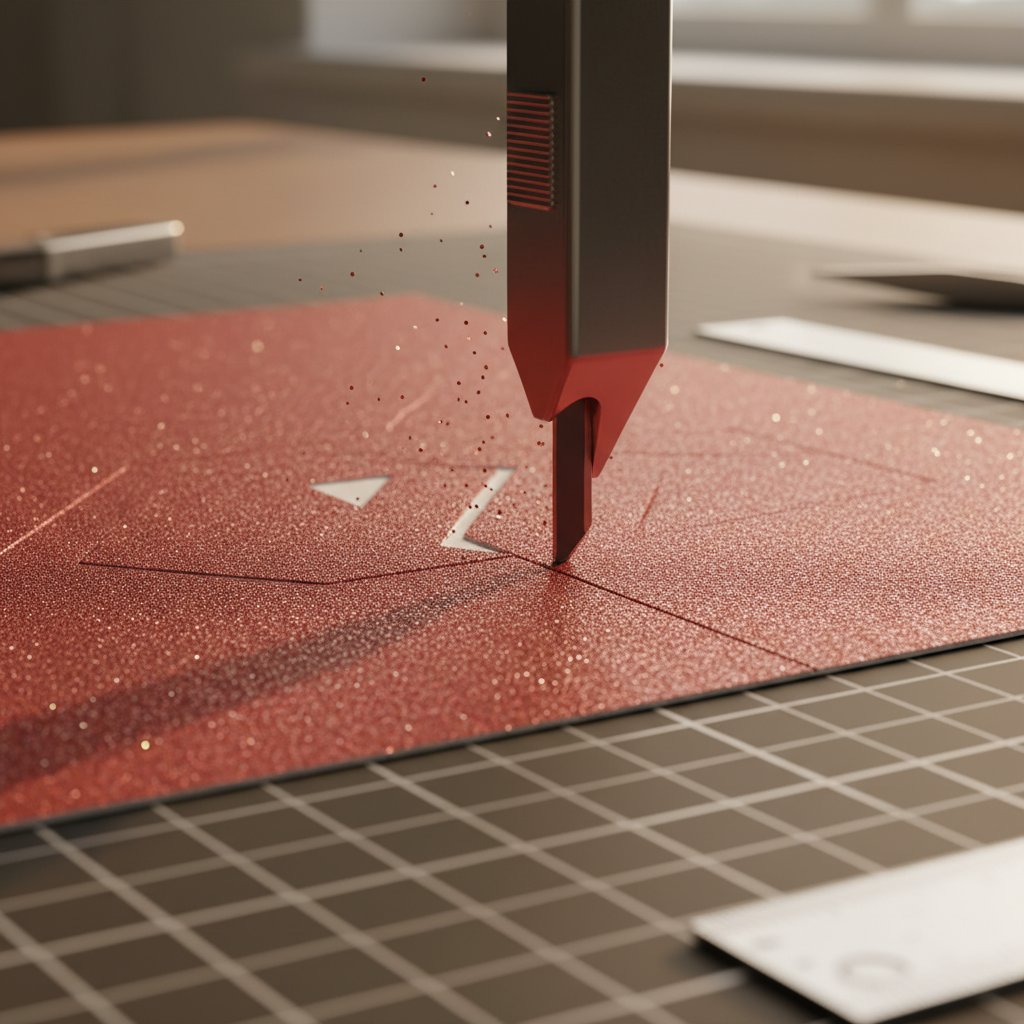
Deep Point blade cutting through thick glitter cardstock

When Fine Point blades struggle, the Deep Point Blade (also called Deep Cut Blade) steps in. This blade is engineered specifically for thicker, denser materials that defeat standard blades.

Technical Specifications

  • Blade Angle: 60 degrees
  • Material: Hardened, durable steel
  • Housing Color: Black
  • Compatible Materials: Thick cardstock (80-110lb+), chipboard, magnet sheets, foam sheets, stiffened felt
  • Machine Compatibility: Explore Air 2, Explore 3, Maker, Maker 3 (not Joy)

The steeper 60-degree angle provides significantly more cutting power than the Fine Point's 45 degrees. The hardened steel construction resists dulling from abrasive materials like glitter cardstock and metallic finishes.

Ideal Cardstock Types for Deep Point

The Deep Point blade dominates with:

  • Heavy cardstock: 90lb to 110lb weight
  • Glitter cardstock: Any weight, especially thick glitter stock
  • Metallic cardstock: Foil-finish and metallic-coated papers
  • Pearl cardstock: Shimmer and pearl finishes
  • Chipboard: Thin chipboard (up to 2mm)
  • Textured heavy stock: Canvas, linen, embossed in heavy weights

For shadow box projects using premium or specialty cardstock, the Deep Point blade cuts through in a single pass where Fine Point would require 2-3 passes or fail completely.

Intricate Cutting Advantages

Despite being designed for thick materials, the Deep Point blade actually excels at intricate cuts on heavy cardstock. The steeper angle and harder steel maintain cutting force through challenging material without the blade deflecting or skipping.

This makes Deep Point ideal for:

  • Detailed shadow box layers in 110lb cardstock
  • Intricate cuts in glitter or metallic finishes
  • Fine linework in thick textured cardstock
  • Small internal cuts and narrow negative spaces

The Fine Point blade may technically have a "sharper" point, but the Deep Point's superior cutting force translates to cleaner results on resistant materials.

Pros for Cardstock Projects

Single-Pass Cutting: Cuts thick cardstock (80-110lb) in one pass instead of requiring multi-cut settings, reducing mat shifting and improving alignment.

Glitter and Metallic Mastery: The hardened steel resists dulling from abrasive glitter and metallic coatings, lasting 3-5x longer than Fine Point on these materials.

Consistent Pressure: The 60-degree angle maintains cutting force through dense paper fibers, eliminating the "partially cut" problem.

Reduced Blade Deflection: Harder steel and steeper angle prevent the blade from bending or skipping on tough materials.

Cons and Limitations

Overkill for Light Cardstock: Using Deep Point on 65lb cardstock is like using a chainsaw to slice bread—it works, but you risk over-cutting and damaging delicate details.

Higher Cost: Deep Point blades cost $15-20, about 50% more than Fine Point blades.

Machine Compatibility: Not compatible with Cricut Joy, limiting users of smaller machines.

Faster Wear on Soft Materials: The aggressive cutting action can actually dull faster on very soft materials compared to the gentler Fine Point.

When to Upgrade from Fine Point

Switch to the Deep Point blade when you experience:

  • Incomplete cuts on cardstock over 80lb (Design Space pressure maxed but still not cutting through)
  • Rapid blade dulling when cutting glitter or metallic cardstock
  • Frayed or rough edges on thick cardstock (blade deflecting instead of cutting cleanly)
  • Need for 3+ passes on standard settings (mat shifting becomes a problem)
  • Consistent tearing at connection points on heavy materials

If you primarily work with thick or specialty cardstock for shadow boxes, investing in a Deep Point blade saves time, reduces waste, and delivers professional results.

For optimal Deep Point blade performance:

  • Material Setting: "Cardstock, Heavyweight" or "Poster Board" for 90-110lb
  • Pressure: Start at "Default" (blade's power compensates); increase to "More" only if needed
  • Multi-Cut: Rarely needed for cardstock; use for chipboard only
  • Mat: StandardGrip (green) for most heavy cardstock; StrongGrip (purple) for glitter or metallic finishes

Knife Blade: Overkill or Opportunity?

The Knife Blade is Cricut's most powerful cutting tool, designed for materials that defeat both Fine Point and Deep Point blades. But is it useful for cardstock?

Technical Specifications

  • Blade Style: Beveled knife edge (not angled point)
  • Material: Heavy-duty hardened steel
  • Drive System: Maker's adaptive tool system (motorized)
  • Compatible Materials: Balsa wood, basswood, matboard, chipboard (up to 3/32" thick), leather
  • Machine Compatibility: Maker and Maker 3 only

Unlike the Fine Point and Deep Point blades that use a pointed tip, the Knife Blade uses a beveled cutting edge similar to a utility knife. The Maker's adaptive tool system applies significantly more downward force than standard blade housings.

Why It's Typically Unnecessary for Cardstock

For the vast majority of cardstock projects—including shadow boxes—the Knife Blade is overkill:

Cardstock Doesn't Need That Power: Even the thickest 110lb cardstock is well within the Deep Point blade's capabilities. The Knife Blade's 3/32" cutting depth is designed for materials 5-10x thicker than cardstock.

Detail Limitations: The Knife Blade's beveled edge and high cutting force make it unsuitable for intricate shadow box designs. It cuts with "moderate detail" capability, meaning fine linework and delicate bridges will fail.

Cost-Benefit Ratio: At $40-50 per blade (3x the cost of Deep Point), the Knife Blade makes sense only if you regularly cut wood, thick chipboard, or leather—not cardstock.

Machine Lock-In: The Knife Blade only works with Maker models, excluding Explore and Joy users entirely.

Specific Scenarios Where It Might Help

There are niche situations where the Knife Blade serves cardstock projects:

Thick Chipboard Backing: If you're mounting shadow box layers on 3/32" chipboard backing, the Knife Blade cuts these bases cleanly while Fine Point and Deep Point struggle.

Matboard Frames: Creating custom matboard frames or borders for shadow box displays requires Knife Blade cutting power.

Multi-Material Projects: If you're combining cardstock layers with basswood or thick chipboard elements in a single project, the Knife Blade handles the thick components (swap to Deep Point for cardstock details).

Experimentation: Some users report success cutting extremely thick handmade paper (140lb+) with the Knife Blade, though this is beyond typical shadow box use.

Limitations for Detail Work

The Knife Blade's beveled edge creates a wider cutting path than pointed blades. This means:

  • Minimum detail size is larger (small internal cuts may fail)
  • Narrow bridges between cuts are more likely to break
  • Intricate shadow box layers with fine linework are not recommended
  • Corner sharpness is reduced compared to pointed blades

For shadow box work, where intricate layered details are essential, this is a deal-breaker for most projects.

Cost-Benefit Analysis

Consider the Knife Blade if:

  • You regularly cut wood, thick chipboard, or matboard alongside cardstock
  • Shadow box projects include thick backing materials or wood elements
  • You own a Maker and want to expand material capabilities beyond paper

Skip the Knife Blade if:

  • Your projects exclusively use cardstock and paper (even heavy weights)
  • Intricate detail is a priority
  • You're working with Explore or Joy machines
  • Budget is a concern (invest in multiple Deep Point blades instead)

For 95% of cardstock shadow box creators, the Knife Blade is an unnecessary expense. Put that money toward quality Deep Point blades and premium cardstock instead.

Blade Selection Decision Tree

Choosing the right blade for your cardstock project comes down to four factors: cardstock weight, project detail, machine compatibility, and budget.

Cardstock Weight Guide

65-80lb Cardstock (Regular)

  • Primary Choice: Fine Point Blade
  • Upgrade Signal: Requiring 2+ passes or experiencing incomplete cuts
  • Cost: $10-15 per blade

80-95lb Cardstock (Medium-Heavy)

  • Primary Choice: Deep Point Blade
  • Alternative: Fine Point with multi-cut enabled (if cuts are successful)
  • Cost: $15-20 per blade

95-110lb+ Cardstock (Heavy)

  • Primary Choice: Deep Point Blade
  • No Alternative: Fine Point will fail or dull rapidly
  • Cost: $15-20 per blade

Specialty Finishes (Glitter, Metallic, Pearl)

  • Any Weight: Deep Point Blade (hardened steel resists abrasive dulling)
  • Fine Point: Acceptable for 65-75lb smooth glitter, but expect faster blade wear
  • Cost Savings: Deep Point lasts 3-5x longer on glitter = lower long-term cost

Project Complexity Considerations

Highly Intricate Designs (shadow box layers with fine details, narrow bridges, small internal cuts):

  • Prefer pointed blades (Fine Point or Deep Point) over Knife Blade
  • Match blade to cardstock weight, prioritizing cutting power sufficient for single-pass cuts
  • Multi-pass cuts increase risk of mat shifting and detail misalignment

Moderate Detail (standard shadow box designs, typical layering):

  • Any blade appropriate for cardstock weight will work
  • Fine Point is sufficient for standard 65-80lb stock
  • Deep Point recommended for 80lb+ to avoid multi-cut issues

Simple Cuts (backing layers, borders, basic shapes):

  • Fine Point handles all weights with multi-cut if needed
  • Cost savings by using Fine Point even on heavier stock (if detail isn't critical)

Machine Compatibility Factors

Cricut Joy:

  • Fine Point Blade only
  • Cardstock limited to 65lb maximum
  • No upgrade path to Deep Point or Knife Blade

Cricut Explore Air 2 / Explore 3:

  • Fine Point Blade (standard)
  • Deep Point Blade (compatible)
  • Knife Blade (not compatible)
  • Best for cardstock-focused projects up to 110lb with Deep Point

Cricut Maker / Maker 3:

  • All three blades compatible
  • Adaptive tool system provides best performance with Knife Blade
  • Ideal for mixed-material projects (cardstock + wood/chipboard)

Budget Considerations

Budget-Conscious Approach:

  • Start with Fine Point blades (included with machine)
  • Upgrade to a single Deep Point blade for heavy or specialty cardstock
  • Use Fine Point with multi-cut for occasional heavy stock projects
  • Total Investment: $10-15 for backup Fine Point

Quality-Focused Approach:

  • Maintain 2-3 Fine Point blades (fresh blade always ready)
  • Keep 1-2 Deep Point blades for heavy and specialty stock
  • Rotate blades based on material to maximize lifespan
  • Total Investment: $40-60 for comprehensive blade set

Professional/High-Volume Approach:

  • Dedicated blades for different cardstock types (separate blades for glitter, metallic, standard)
  • Replace blades on schedule rather than waiting for dulling
  • Consider Knife Blade if projects include thick backing materials
  • Total Investment: $80-120 for complete blade rotation system

Optimizing Settings for Each Blade Type

Blade selection is only half the equation—proper settings ensure optimal cutting performance and blade longevity.

Pressure Adjustments by Blade Type

Fine Point Blade:

  • Start with Design Space's default "Cardstock" setting
  • Increase pressure incrementally: Default → More → More+
  • Avoid "Custom" pressure settings above 350 (risks mat damage and premature blade wear)
  • For textured cardstock, prefer multi-cut over excessive pressure

Deep Point Blade:

  • Start at "Default" pressure (blade's design compensates for thickness)
  • Increase to "More" only if experiencing incomplete cuts
  • Rarely need "More+" due to 60-degree angle and hardened steel
  • Over-pressuring Deep Point increases wear without improving cuts

Knife Blade:

  • Machine automatically adjusts pressure based on material selection
  • Manual pressure adjustment not available (adaptive tool system controls force)
  • Select appropriate material ("Chipboard" or "Matboard") for best results

Multi-Cut Settings

Multi-cut performs the same cut 2-3 times to ensure complete cutting through thick materials.

When to Enable Multi-Cut:

  • Fine Point blade on cardstock over 75lb
  • Intricate designs on any cardstock over 80lb
  • Textured cardstock that resists single-pass cutting
  • When increasing pressure alone doesn't fully cut through

When to Avoid Multi-Cut:

  • Deep Point blade on cardstock (single pass should be sufficient)
  • Designs with small internal cuts (increased risk of paper shifting)
  • Mats with reduced grip (multi-cut requires stable material adhesion)

Mat Selection Impact

Mat grip strength affects cutting success as much as blade choice.

LightGrip (Blue) Mat:

  • Best for: Regular 65-80lb cardstock with Fine Point blade
  • Prevents paper fiber damage when removing finished cuts
  • Insufficient for heavy or textured cardstock (material shifts during cutting)

StandardGrip (Green) Mat:

  • Best for: 80-110lb cardstock with Deep Point blade
  • Textured or curled cardstock with Fine Point or Deep Point
  • Universal choice for most shadow box cardstock work

StrongGrip (Purple) Mat:

  • Best for: Glitter cardstock, metallic finishes, or chipboard
  • Deep Point blade with heavy materials requiring maximum hold
  • Overkill for smooth regular cardstock (damages paper fibers when removing)

Machine Model Differences

Cricut Joy:

  • Limited cutting force compared to Explore/Maker
  • Fine Point blade may require "More+" pressure on 80lb cardstock
  • Multi-cut essential for cardstock over 75lb

Cricut Explore Air 2 / Explore 3:

  • Standard cutting force suitable for most cardstock
  • Fine Point handles 65-80lb easily; Deep Point handles 80-110lb
  • Pressure adjustments provide fine control

Cricut Maker / Maker 3:

  • 10x cutting force of Explore (via adaptive tool system)
  • Deep Point blade often cuts heavy cardstock at lower pressure settings than Explore
  • Knife Blade exclusive to Maker models

Common Mistakes and How to Avoid Them

Even with the right blade, these common errors undermine cutting performance.

Using Wrong Blade for Cardstock Weight

The Mistake: Forcing Fine Point blade to cut 110lb cardstock with maximum pressure and 3x multi-cut.

The Problem: Multiple passes increase mat shifting risk, misaligning intricate cuts. Excessive pressure damages mat adhesive and wears blade prematurely. Final result: rough edges, incomplete cuts, wasted materials.

The Fix: Invest in a Deep Point blade ($15-20) instead of wasting $10+ in ruined cardstock and mat damage. Single-pass cutting with appropriate blade saves time and money.

Blade Maintenance Neglect

The Mistake: Using the same blade for 50+ projects without cleaning or inspection, noticing degraded cutting quality but continuing use.

The Problem: Paper fiber buildup on blade tip reduces cutting effectiveness. Dulled blade requires higher pressure, damaging mats. Cardstock projects fail halfway through intricate cuts.

The Fix: Clean blade tip with alcohol wipes after every 5-10 cuts. Inspect blade under magnification every 20 projects. Replace blade when cuts require higher pressure than originally needed. A fresh blade costs $10-15; replacing ruined mats costs $15-25.

Pressure Settings Errors

The Mistake: Starting at maximum pressure ("More+") for all cardstock, assuming more pressure = better cuts.

The Problem: Excessive pressure damages mat adhesive, shortens blade life, and creates rough edges from blade over-penetration. Cardstock fibers tear instead of cut cleanly.

The Fix: Always start at default pressure for your material selection. Increase incrementally only if cuts are incomplete. If "More+" pressure doesn't cut through, you need a different blade—not more pressure.

When to Replace Blades

Replace your blade when:

  • Cuts require higher pressure settings than when blade was new
  • Edges appear frayed or rough instead of clean
  • Blade skips or drags through material
  • Inspection reveals visible dulling or nicks on blade tip
  • Glitter or metallic cardstock shows incomplete cuts at normal settings

Fine Point Blade Lifespan:

  • Standard cardstock: 500-1000 cuts
  • Glitter cardstock: 100-200 cuts
  • Cost per replacement: $10-15

Deep Point Blade Lifespan:

  • Heavy cardstock: 300-500 cuts
  • Glitter/metallic cardstock: 500-800 cuts (3-5x longer than Fine Point on abrasive materials)
  • Cost per replacement: $15-20

Frequently Asked Questions

Can I use the Fine Point blade for all cardstock?

Yes, the Fine Point blade can technically cut all cardstock weights—but it's not ideal for everything. For 65-80lb cardstock, Fine Point is perfect. For 80-95lb cardstock, you'll need multi-cut settings and higher pressure, which increases mat wear and cutting time. For 95lb+ or specialty finishes (glitter, metallic), Fine Point dulls rapidly and delivers inconsistent results.

If you're a hobby crafter working mostly with standard cardstock, Fine Point handles 90% of projects. If you're creating professional shadow boxes with premium cardstock, invest in a Deep Point blade to save time and frustration.

Is the Deep Point blade worth the investment?

If you regularly work with cardstock over 80lb or any glitter/metallic finishes, absolutely. The Deep Point blade costs 50% more than Fine Point ($15-20 vs $10-15) but lasts 3-5x longer on abrasive materials and cuts heavy stock in a single pass instead of requiring multi-cut.

Do the math: If you're replacing Fine Point blades every 100 glitter cardstock cuts at $12 each, you'll spend $36 for 300 cuts. A single Deep Point blade lasts 500-800 cuts on glitter at $18—saving $20+ while delivering better cut quality.

How long do Cricut blades last for cardstock?

Fine Point blades last 500-1000 cuts on standard cardstock, but only 100-200 cuts on glitter or metallic finishes. Deep Point blades last 300-500 cuts on heavy cardstock and 500-800 cuts on specialty finishes.

Actual lifespan depends on material weight, finish, cutting complexity, and blade maintenance. Clean your blade after every 5-10 cuts and inspect regularly to maximize lifespan.

Can I sharpen or restore Cricut blades?

Technically yes, but it's not recommended. DIY sharpening methods (aluminum foil ball, sharpening stones) can extend blade life slightly but risk damaging the precise blade angle that ensures clean cuts. The inconsistent sharpening often creates rough edges and uneven cutting.

Replacement blades cost $10-20—less than the cardstock you'll waste with a poorly sharpened blade. Professional crafters treat blades as consumables and replace on schedule rather than attempting restoration.

Do I need the Knife Blade for thick cardstock?

No. The Knife Blade is designed for materials up to 3/32" thick (balsa wood, matboard, thick chipboard). Even the heaviest cardstock (110lb) is only about 0.012" thick—well within the Deep Point blade's capabilities.

The Knife Blade's $40-50 cost makes sense only if you're cutting wood, leather, or thick chipboard alongside cardstock. For cardstock-only projects, invest that money in multiple Deep Point blades instead.

Conclusion and Recommendations

The best Cricut blade for cardstock isn't a one-size-fits-all answer—it depends on your specific cardstock weight, project detail requirements, and machine compatibility.

Quick Recommendations:

  • Standard 65-80lb cardstock: Fine Point Blade (cost-effective, included with machine, excellent detail)
  • Heavy 80-110lb cardstock: Deep Point Blade (single-pass cutting, reduces mat wear, faster workflow)
  • Glitter or metallic cardstock (any weight): Deep Point Blade (3-5x longer blade life on abrasive materials)
  • Intricate shadow box details: Fine Point (65-80lb stock) or Deep Point (80lb+ stock)—avoid Knife Blade
  • Wood or thick chipboard backing: Knife Blade (Maker only)

Next Steps:

Start with the Fine Point blade that came with your machine. If you experience consistent cutting problems with cardstock over 80lb or rapid blade dulling with specialty finishes, upgrade to a Deep Point blade. Skip the Knife Blade unless your projects include wood or thick chipboard components.

For comprehensive troubleshooting when cuts fail despite the correct blade, see our complete guide: Cricut Cardstock Troubleshooting Bible: Fix Any Cutting Problem in 10 Steps.

The right blade transforms frustrating cardstock projects into smooth, professional results. Choose based on your materials, maintain your blades properly, and watch your shadow box creation process become effortless.