Articles 17 min read

5 Easy Paper Light Box SVG Projects Beginners Love to Make

Your comprehensive guide to easy paper light box svg.

5 Easy Paper Light Box SVG Projects Beginners Love to Make

Easy Paper Light Box SVG Projects for Beginners

Choosing your first easy paper light box SVG project can feel overwhelming when you're browsing through hundreds of intricate designs online. Should you start with a simple flower or jump straight into a complex Christmas village scene? How many layers are too many for a beginner? Which designs work best with basic materials and minimal experience?

If you've learned the fundamentals of creating layered paper cut shadow boxes, you're ready to select a beginner-friendly project that builds your confidence without frustrating you with overly complex details. The right first project makes all the difference between falling in love with this craft and giving up after struggling with intricate cuts and difficult assembly.

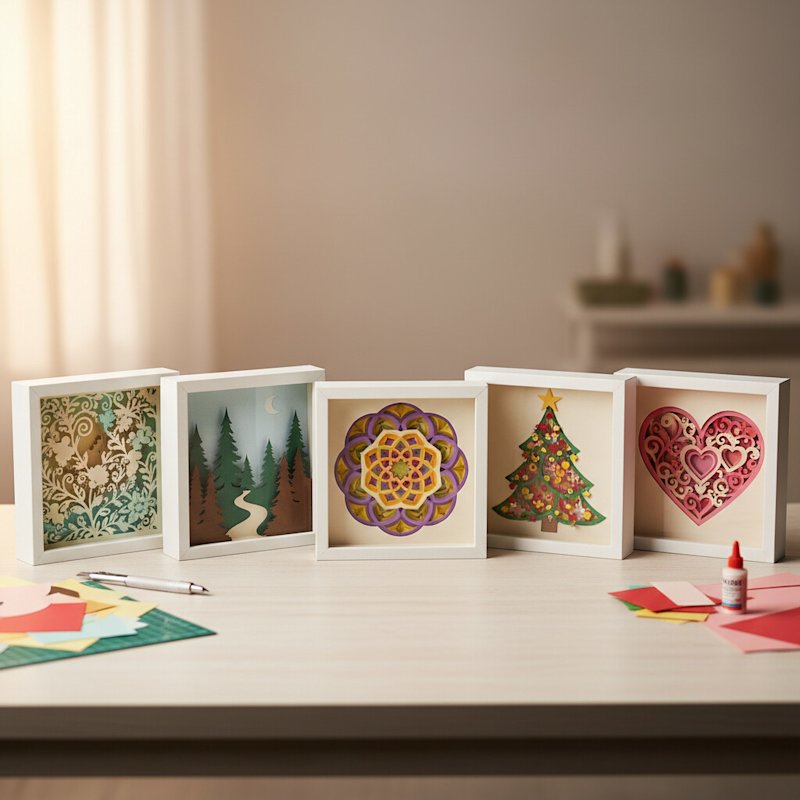
This guide presents five easy paper light box SVG projects specifically chosen for beginners. Each project features manageable layer counts (4-8 layers), clear cutting paths, forgiving assembly, and beautiful results that look far more impressive than the effort required. These projects help you master fundamental techniques while creating stunning illuminated art you'll be proud to display or gift.

What Makes a Shadow Box Project Beginner-Friendly?

Before diving into specific projects, understanding what separates beginner-appropriate designs from advanced projects helps you make smart choices as you build your skills.

Optimal Layer Count for First Projects

4-8 layers is the sweet spot for beginners. Projects with only 2-3 layers don't create enough dimensional depth to justify the effort, while designs with 10+ layers become challenging to align and assemble correctly, especially when you're still learning spacing techniques.

Six-layer projects are particularly ideal for first-timers. They provide satisfying depth when backlit, require a manageable amount of cutting time (typically 60-90 minutes total), and offer enough layers to practice alignment without becoming overwhelming.

Each additional layer introduces another opportunity for misalignment, so starting with fewer layers lets you focus on perfecting your technique rather than managing complexity.

Design Characteristics That Work Well

Moderate detail level ensures clean cutting without frustration. Look for designs where the smallest cutouts measure at least 0.25-0.3 inches across. Tiny intricate pieces that are barely larger than your weeding tool tip often fall off during the weeding process or tear when you remove them from the cutting mat.

Clear, bold shapes with defined edges cut cleanly and align easily during assembly. Designs featuring distinct silhouettes (animals, flowers, geometric patterns) with good spacing between elements are more forgiving than designs with delicate filigree, ultra-thin branches, or dozens of tiny windows.

Single or two-color palettes simplify your material shopping and reduce decision-making during the creative process. While rainbow-gradient shadow boxes are beautiful, they require purchasing and coordinating many cardstock colors. Starting with white or a simple two-color scheme (like white with one accent color) lets you focus on technique rather than color theory.

Standard Frame Compatibility

Beginner projects designed for 8x8 inch or 8x10 inch frames offer the best balance of affordability, availability, and visual impact. These standard sizes mean you can find suitable deep frames at any craft store, usually for $15-25.

Frames in these sizes are also widely available with the correct depth (7-8cm or 2.75-3 inches) needed for layered projects. Odd-sized frames often cost significantly more and may require special ordering, adding unnecessary expense and complexity to your first project.

Additionally, most free and beginner-focused SVG templates are designed for these standard sizes, saving you from needing to resize designs and potentially introducing alignment issues.

Project 1: Simple Floral Silhouette (4-5 Layers)

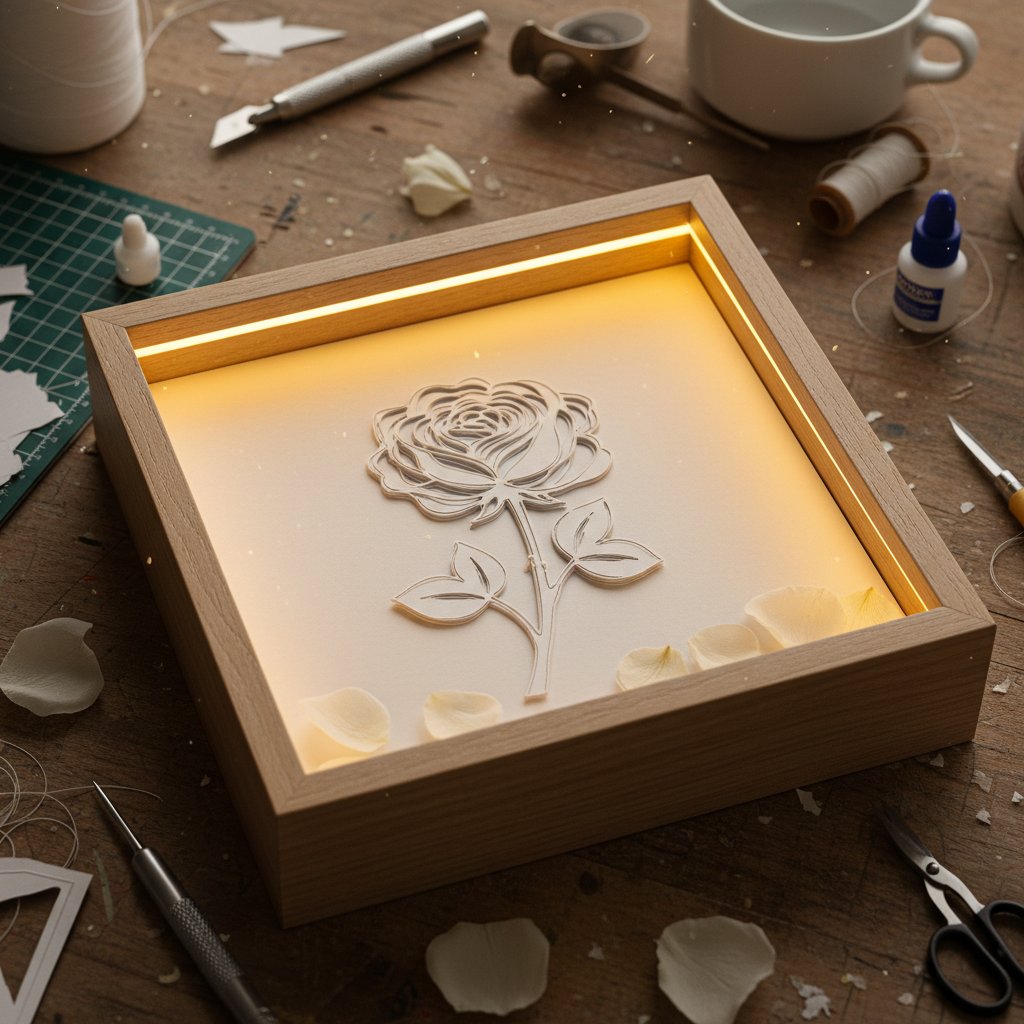
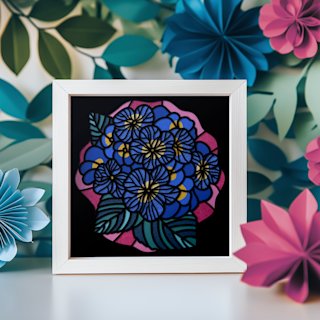
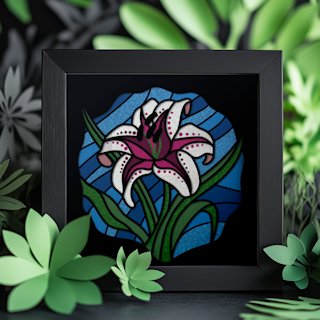
Simple floral silhouette shadow box with layered rose petals creating depth through backlighting

A single flower silhouette with clean petals and a simple stem creates a stunning first project that teaches fundamental shadow box techniques without overwhelming complexity.

Why This Project Works for Beginners

Floral designs are naturally forgiving because slight misalignments between petal layers aren't as noticeable as they would be in geometric or architectural designs. The organic, flowing shapes of petals and leaves allow for small variations while still looking beautiful when backlit.

Four to five layers is perfect for understanding how shadow boxes create depth. A typical simple floral design includes: a solid background layer, a stem and leaf layer, an inner petal layer, an outer petal layer, and sometimes a center detail layer. This progression clearly demonstrates how layering builds dimension.

The cutting is straightforward with no intricate internal details that require extensive weeding. Most simple floral SVGs feature bold petal shapes and clean leaf cutouts that cut cleanly on the first pass with standard cardstock settings.

Rose silhouettes are classic choices with instantly recognizable petal formations. Look for designs that show the rose from a slight angle rather than straight-on, as this creates more visual interest with minimal layer count.

Sunflower designs work beautifully with their bold circular centers and distinct petals radiating outward. The symmetrical nature helps with alignment, and the center circle provides an obvious focal point for lighting effects.

Single stem botanicals featuring one main flower with a few leaves offer elegant simplicity. Designs showing tulips, poppies, or daisies with 2-3 leaves create sophisticated results without complex assembly.

Materials and Time Investment

For a 4-5 layer floral project in an 8x8 inch frame, you'll need:

  • 5-6 sheets of cardstock (65-80 lb white or your chosen colors, plus 1-2 for test cuts)
  • One 8x8 inch deep frame (7-8cm depth)
  • 5mm foam mounting tape or foam board
  • Battery-operated LED strip light
  • Standard Cricut/Silhouette cutting tools

Time estimate: 2-3 hours total, including setup, cutting, assembly, and framing. This shorter timeframe makes it perfect for a single crafting session.

Skill development: This project teaches you proper layer alignment, basic foam spacer placement, and how to position lights for even illumination on symmetrical designs.

Project 2: Nature Scene with Trees (5-6 Layers)

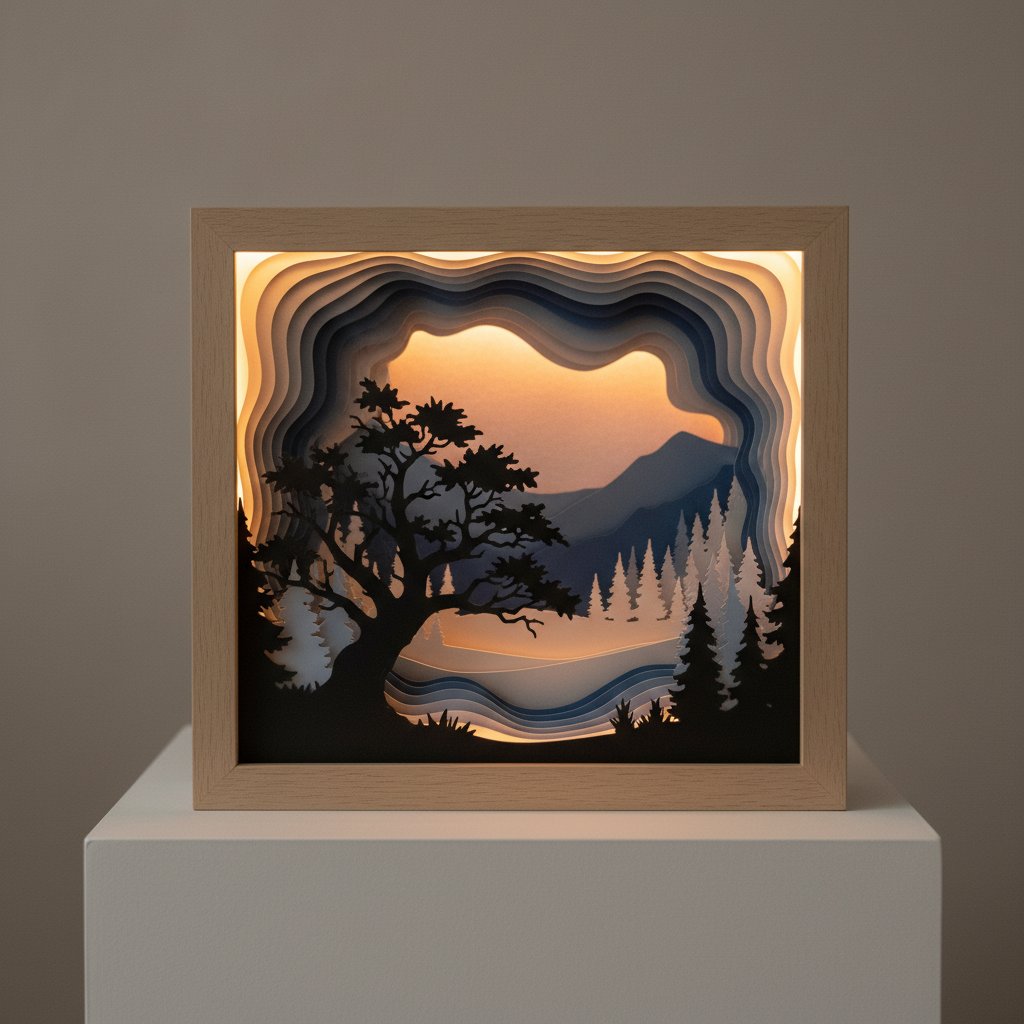
Layered paper cut shadow box nature scene with tree silhouettes showing dramatic depth through multiple layers

Layered tree silhouettes against a sky background create dramatic depth effects with minimal complexity, making them ideal for beginners who want impressive visual impact.

Why Nature Scenes Are Forgiving

Tree and landscape designs feature naturally irregular shapes where perfect precision isn't required. Branches, leaves, and terrain elements have organic variation, so minor misalignments of 1-2 millimeters won't disrupt the overall composition the way they would in architectural designs with straight lines and symmetrical elements.

Depth is built-in to landscape designs. When you layer a foreground tree, middle-ground hills, and background sky elements, each layer occupies a distinct spatial zone. This makes it nearly impossible to assemble incorrectly, unlike abstract designs where layer order might be ambiguous.

The cutting paths are simple: solid silhouettes without internal cutouts (like a tree outline against the sky) are the easiest possible cuts for your machine. These designs minimize weeding time and eliminate the risk of tiny pieces falling off.

Design Elements to Look For

Simple tree silhouettes with defined trunks and branch structures work best. Avoid designs with hundreds of individual leaf cutouts; instead, choose designs where the leaf mass is represented by shaped clusters or a simplified tree canopy outline.

Layered mountain or hill backgrounds add depth without complexity. Two to three layers of rolling hills or mountain ridges in progressively lighter colors create beautiful distance effects when backlit.

Optional elements like birds in flight, a simple sun or moon, or small cloud shapes can add interest without significantly increasing difficulty. Look for designs where these elements are bold shapes rather than intricate details.

Creating Depth with Minimal Layers

With just 5-6 layers, a well-designed nature scene creates remarkable depth:

  • Layer 1 (front): Large foreground tree or plant in darkest color
  • Layer 2: Smaller mid-ground tree or hill
  • Layer 3: Additional landscape element
  • Layer 4: Distant hills or mountains
  • Layer 5: Sky details (sun, moon, clouds)
  • Layer 6 (back): Solid background

This progression from dark foreground to lighter background naturally guides the eye through the scene and maximizes the three-dimensional effect.

Material tip: Consider using graduated cardstock colors (dark to light) to enhance the depth perception. A progression from black foreground to dark gray, medium gray, light gray, and finally white background creates atmospheric perspective that amplifies the layering effect.

Project 3: Geometric Mandala (6 Layers)

Symmetrical geometric patterns offer built-in alignment guides and create stunning backlit effects with repetitive shapes that look complex but cut and assemble easily.

The Beginner Advantages of Symmetry

Symmetrical designs are self-correcting for alignment. When all elements radiate from a central point or follow rotational symmetry, you can align layers by centering them rather than trying to match dozens of individual elements. This dramatically simplifies assembly.

If one section is slightly misaligned, the overall symmetry makes it less noticeable because the viewer's eye focuses on the overall pattern rather than individual elements.

Repetitive shapes mean your cutting machine cuts the same element multiple times. Once your settings are dialed in correctly for one section, the remaining cuts will be equally successful. This consistency reduces the chances of failures partway through the project.

What Makes a Good Beginner Mandala

Look for bold, clean geometric shapes: circles, triangles, petals, or star points that are at least 0.5 inches in their smallest dimension. Avoid mandalas with extremely fine details, tiny connecting points, or elaborate filigree that requires advanced weeding skills.

6-layer designs provide enough complexity for visual interest while keeping assembly manageable. Each layer should clearly build upon the previous one, with elements growing larger or smaller as layers progress from center to edge.

Consistent line widths (no ultra-thin connecting bridges between shapes) ensure all elements cut completely and remain attached to the main design during weeding.

Assembly Tips for Radial Designs

The key to perfect mandala alignment is finding and marking the center point of each layer. Many mandala SVGs include a small center circle or registration mark specifically for this purpose.

Before adding spacers, stack all layers and hold them up to a light source. The symmetrical nature means you can instantly see if layers are centered correctly. All elements should appear concentric and evenly spaced.

Spacer placement strategy: For radial designs, position foam spacers in a circle around the center rather than in corners. Place spacers in the "solid" sections between cutout patterns where they won't be visible from the front. Typically, 6-8 spacers arranged in a ring provide even support for round designs.

Lighting consideration: Center-focused radial designs look spectacular with circular LED placement. Instead of running LED strips around the frame perimeter, create a circle of LEDs around the outer edge of the design, allowing light to radiate through the cutout patterns evenly.

Project 4: Seasonal Silhouette - Christmas Tree or Pumpkin (5-7 Layers)

Seasonal shadow boxes make perfect beginner projects because they provide motivation (creating holiday decor), clear design focus, and opportunities to repeat the project annually as your skills improve.

Why Seasonal Designs Motivate Learning

Having a specific purpose and deadline (decorating for Christmas, Halloween, or other holidays) creates natural motivation to complete your project. Unlike generic designs that can sit half-finished indefinitely, holiday projects have a built-in goal.

Seasonal projects also make fantastic gifts. Friends and family members genuinely appreciate personalized holiday decor, so you'll have opportunities to practice the same design multiple times while creating unique gifts.

As you return to seasonal crafting each year, you can track your improvement by creating updated versions of the same designs. Your Christmas tree shadow box from your first attempt versus your version two years later clearly demonstrates skill development.

Christmas Tree Project Specifics

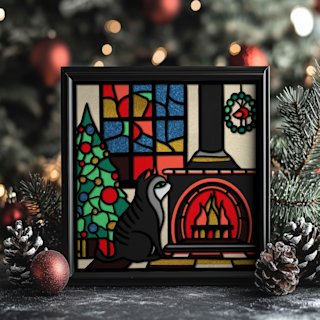
A layered Christmas tree design typically includes 5-7 layers creating depth through:

  • Foreground: Tree outline with defined branches
  • Middle layers: Ornament details, garland, or tree decorations
  • Background layers: Window frame, wall, or snowy landscape
  • Back layer: Solid background or starry sky

Beginner-friendly variations feature simple triangular tree shapes with bold ornament circles rather than elaborate decorations. Some designs include a simple star on top, gift boxes at the base, or a basic window frame surrounding the scene.

Color options: Traditional green tree with white background works beautifully, but you can also try elegant all-white designs or experiment with a white tree on dark background for a contemporary look.

Pumpkin Project Specifics

Halloween pumpkin shadow boxes are equally beginner-appropriate with 5-6 layers:

  • Front layer: Carved jack-o'-lantern face
  • Inner layers: Pumpkin ridges and segments
  • Background layers: Fence, grass, or haunted house silhouette
  • Back layer: Night sky or solid background

Face design consideration: Choose designs with simple, bold facial features (large triangle eyes, toothy grin) rather than intricate carved patterns. Bold features cut cleanly and create more dramatic lighting effects.

Advanced beginner variation: After mastering a simple pumpkin, try designs that include additional elements like a black cat silhouette, bare tree branches, or a full moon, adding layers without significantly increasing difficulty.

Holiday Crafting Timeline

Start seasonal projects 4-6 weeks before the holiday to avoid deadline stress. This timeline allows for:

  • Material ordering and delivery (1-2 weeks)
  • Test cuts and practice (1 week)
  • Actual project execution (1 weekend)
  • Retry time if needed (1 week buffer)
  • Final display preparation

Beginning early means you can enjoy the learning process rather than rushing through steps, and you'll have time to create multiples if you want to gift them.

Project 5: Heartfelt Design - Heart Shape with Cutout Pattern (6-8 Layers)

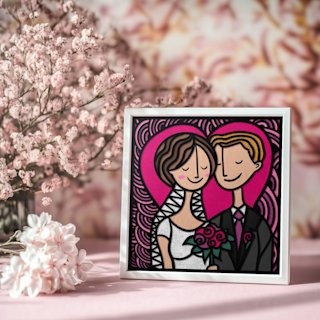
Heart-shaped shadow boxes work beautifully for Valentine's Day, anniversaries, weddings, or general romantic decor, and their symmetrical design makes them surprisingly beginner-friendly despite appearing intricate.

Why Heart Designs Excel for Beginners

The instantly recognizable silhouette means even if your assembly has minor imperfections, the overall shape reads clearly as a heart. This forgiving nature reduces anxiety about achieving absolute perfection.

Hearts are symmetrical along the vertical axis, providing a built-in alignment guide. Match the center line and the two halves will align correctly, similar to mandala designs.

Versatile theming allows you to personalize this project for different occasions: add names or dates for weddings/anniversaries, incorporate baby-themed elements for nursery decor, or use seasonal colors for holiday versions. The same basic template adapts to many purposes.

Design Variations for Different Occasions

Filled with birds or butterflies: Popular designs show a heart outline filled with silhouettes of birds on branches or butterflies in flight. These interior elements create 2-3 middle layers while the heart outline forms the front layer, creating beautiful depth when lit.

Floral heart border: The heart shape is created by flowers and vines rather than a solid outline. Roses, cherry blossoms, or mixed florals form the heart shape through their arrangement, with 4-5 layers showing flower depth and leaf details.

Geometric heart pattern: The heart contains geometric cutouts (smaller hearts, diamonds, stars, or abstract shapes) in various sizes across multiple layers. This variation is excellent for modern or minimalist aesthetics.

Personalized text heart: The heart outline frames a name, meaningful date, or short phrase cut from inner layers. This works beautifully for wedding gifts or anniversary decor.

Assembly Considerations for Heart Shapes

Alignment strategy: Hearts have three key registration points: the top center indent (where the two curves meet), the bottom point, and the maximum width point on each side. Align these four points on each layer before pressing down.

Some heart SVG designs include a temporary alignment frame (a rectangle or circle around the heart) specifically to help with layer stacking. You cut this frame with each layer, use it for alignment, then trim it away after assembly is complete.

Spacer placement should avoid the heart's bottom point and top curves where foam might be visible through cutouts. Concentrate spacers in the solid areas along the heart's upper portions and sides.

Frame orientation: Heart designs work in both square frames (8x8 inches, with the heart centered) and rectangular frames (8x10 inches, with the heart vertically oriented). Choose based on your preferred display location and available wall or shelf space.

Making It Personal

The beauty of heart designs is the opportunity for customization even as a beginner. Many simple heart SVGs include space where you can add:

  • Initials or names: Simple block letters cut from one layer
  • Dates: Wedding dates, anniversaries, or birth dates
  • Short phrases: "Love Always," "Forever," "Together," etc.

If your chosen SVG doesn't include text, you can easily add simple text in Cricut Design Space or Silhouette Studio before cutting. Keep fonts simple and bold for easier cutting and alignment.

Choosing Your First Project: A Decision Framework

With five beginner-friendly projects to choose from, how do you decide which one to start with?

Consider Your Purpose

Decorating for an upcoming event or holiday? Choose the seasonal project (Christmas tree or pumpkin) to create motivation through a specific deadline and purpose.

Creating a gift for someone specific? The heart design with personalization or the floral silhouette works beautifully for birthdays, weddings, anniversaries, or "just because" gifts.

Learning for your own skill development? The geometric mandala or nature scene offers the best technical skill-building because they teach alignment strategies and spacing techniques you'll use in more advanced projects.

Testing if you enjoy this craft? Start with the simple floral silhouette (4-5 layers). It's the quickest project with the smallest material investment, letting you test the process before committing to more complex projects.

Assess Your Available Time

2-3 hours available: Simple floral silhouette (4-5 layers)

3-4 hours available: Nature scene or seasonal design (5-7 layers)

4-5 hours available: Geometric mandala or heartfelt design (6-8 layers)

These estimates include setup, cutting, assembly, and framing. If you can only work for 1-2 hour sessions, choose projects at the lower layer count so you can complete cutting in one session and assembly in another.

Match Your Design Preferences

Prefer organic, flowing shapes? Floral silhouette or nature scene

Love symmetry and patterns? Geometric mandala

Want meaningful personalization? Heart design or seasonal with custom elements

Seeking dramatic visual impact? Nature scene with layered landscape

Your emotional connection to the design affects your motivation to complete the project carefully and your satisfaction with the results.

Tips for Success on Your First Project

Regardless of which beginner project you choose, these strategies ensure the best possible results.

Start with a Free or Low-Cost Template

Many designers offer one or two free templates specifically created for beginners to test the process. Popular sources include:

  • Jennifer Maker's free shadow box designs
  • LightboxGoodman's free template collection
  • Design Bundles free resources section
  • Etsy shops offering free samples

Free templates for beginners typically include assembly instructions (even if basic), are sized for standard frames, and have been tested by other users who report their results in comments or reviews.

Paid beginner templates ($3-8) often include more comprehensive instructions, multiple size options, and customer support, but starting with free designs lets you test the craft before investing.

Do a Complete Test Run on Scrap Paper

Before cutting expensive cardstock, run one complete layer on regular printer paper at the same size as your final project. This test reveals:

  • Whether your design fits within your cutting mat boundaries
  • If your machine settings need adjustment
  • How long each layer will take to cut
  • How challenging the weeding will be
  • If any design elements are too small for your skill level

Adjust your design, settings, or expectations based on this test before committing to final materials.

Watch an Assembly Video for Your Design Type

Search YouTube for "assemble [your design type] shadow box" (e.g., "assemble floral shadow box" or "mandala shadow box assembly"). Watching someone else complete the assembly process for a similar design helps you:

  • Understand the layer progression visually
  • Learn spacer placement strategies
  • See troubleshooting in real-time
  • Build confidence that you can achieve similar results

Even a 5-minute assembly video dramatically reduces anxiety and confusion during your own assembly process.

Take Your Time with Alignment

The most common beginner mistake is rushing the assembly process. Proper alignment makes the difference between a project that looks professionally made and one that appears crooked or sloppy.

Before pressing each layer down onto spacers:

  • View from directly above to check edge alignment
  • Hold up to light to see how cutouts align with lower layers
  • Make micro-adjustments using tweezers or your fingertips
  • Only press down firmly when you're certain of placement

Spending an extra 2-3 minutes per layer join on careful alignment saves frustration and disappointment with final results.

After Your First Success: Building Your Skills

Completing your first shadow box project successfully opens up a world of creative possibilities.

Progression Path for Skill Building

Projects 2-3: Repeat similar complexity (4-8 layers) in different themes to solidify fundamentals. Try one organic design (floral/nature) and one geometric design to practice different alignment strategies.

Projects 4-5: Increase to 8-10 layers and introduce multi-color designs requiring color coordination.

Projects 6+: Experiment with variable spacing (different foam thicknesses on different layers), mixed materials (vellum, specialty cardstock), or custom color gradients.

This gradual progression builds skills without overwhelming yourself with too many new challenges at once.

Common Next Steps

Create personalized versions of your successful projects as gifts. Once you've mastered a design, creating variations with different colors or adding names/dates becomes quick and enjoyable.

Join a shadow box community on Facebook, Instagram, or Reddit. Sharing your projects, seeing others' variations, and getting feedback accelerates learning. Search for "paper cut light box" or "shadow box crafts" groups.

Start a seasonal collection. Create shadow boxes for major holidays throughout the year, building a rotation of decor. Many crafters maintain collections of 8-12 seasonal pieces they rotate monthly.

Explore premium templates. After mastering free beginner designs, investing in premium templates ($5-15) offers more impressive results, better instructions, and commercial use rights if you decide to sell finished pieces.

Conclusion

Starting your shadow box journey with the right beginner-friendly project sets you up for success and enjoyment in this rewarding craft. Whether you choose a simple floral silhouette, dramatic nature scene, symmetrical mandala, festive seasonal design, or personalized heart pattern, these five easy paper light box SVG projects teach fundamental techniques while creating beautiful illuminated art.

The key to beginner success is choosing designs with 4-8 manageable layers, clear cutting paths, forgiving assembly, and standard frame compatibility. Start with a project that excites you personally, whether that's seasonal decor, a meaningful gift, or pure skill-building experimentation.

Remember that your first shadow box project is about learning the process, not achieving perfection. Minor misalignments, small imperfections, and learning moments are all part of developing this skill. Each project you complete builds confidence, refines technique, and expands your creative possibilities.

Gather your materials, choose one of these beginner-friendly designs, and create your first stunning paper cut shadow box today. The magical moment when you turn on those LED lights and see your layered creation glow to life makes every step of the learning process worthwhile.