Articles 16 min read

Glitter Cardstock Cutting: Settings, Tools & Techniques

Your comprehensive guide to glitter cardstock Cricut settings.

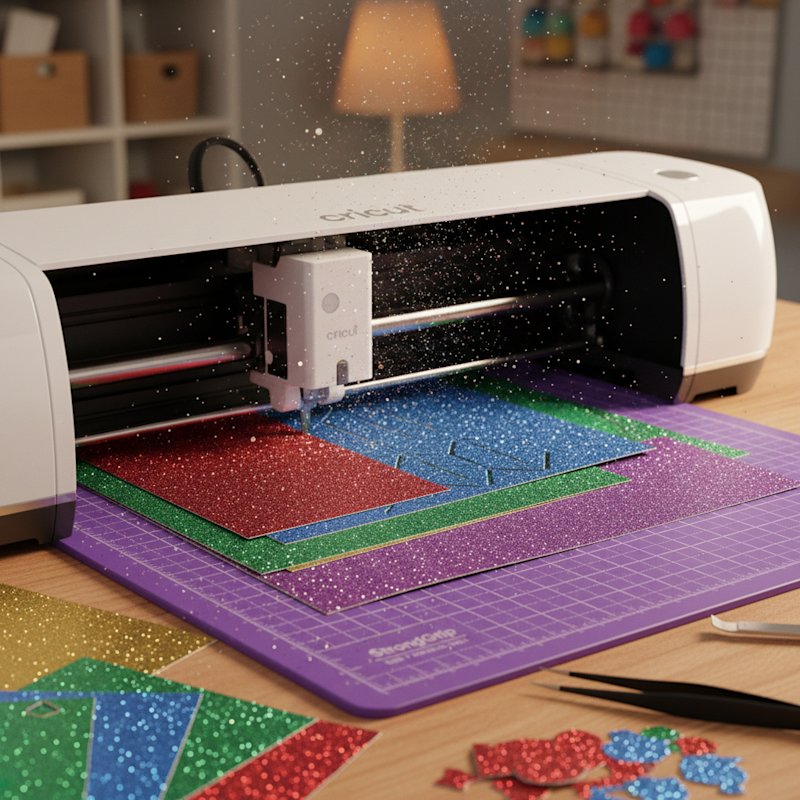
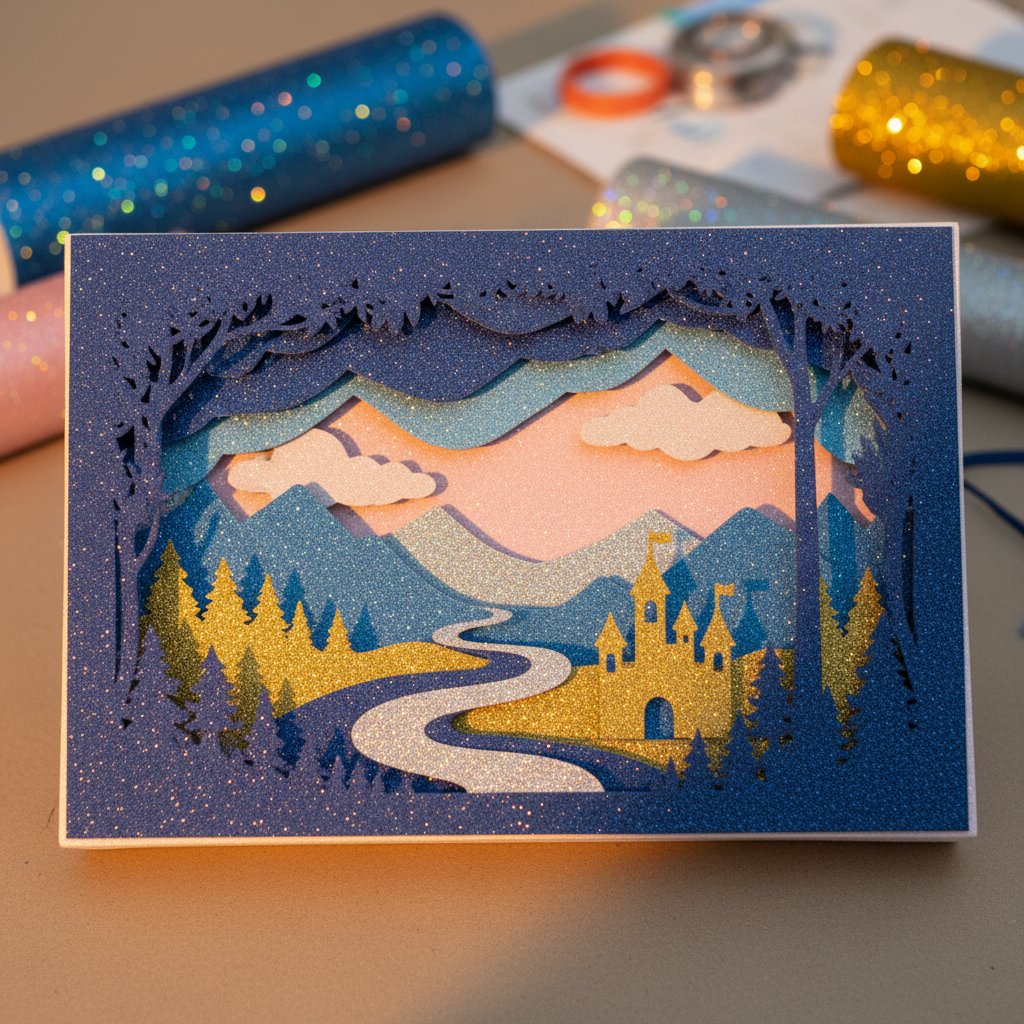
Glitter cardstock being cut on Cricut with visible sparkle

Glitter Cardstock Cutting: Settings, Tools & Techniques

You've loaded that gorgeous glitter cardstock onto your Cricut mat, ready to create show-stopping shadow box layers—and then disaster strikes. The blade tears through the paper, glitter goes everywhere, and your intricate design looks like it went through a shredder. Cutting glitter cardstock without tearing is one of the trickiest challenges Cricut users face, but it doesn't have to be.

Glitter cardstock is fundamentally different from regular cardstock. The thick layer of glitter particles bonded to the surface is abrasive on blades, the adhesive layer makes it thicker and harder to cut cleanly, and the sparkly coating can obscure cut lines and hide incomplete cuts until it's too late.

This guide reveals the exact settings, tools, and techniques that professional crafters use to achieve flawless glitter cardstock cuts every single time. Whether you're creating intricate shadow box layers or simple card accents, you'll learn how to master this challenging material and stop wasting expensive specialty paper.

By the end of this article, you'll understand the science behind glitter cardstock cutting problems and know precisely how to prevent them. Let's turn your glitter cardstock frustrations into perfectly cut, sparkly masterpieces.

Understanding Glitter Cardstock: Why It's So Difficult to Cut

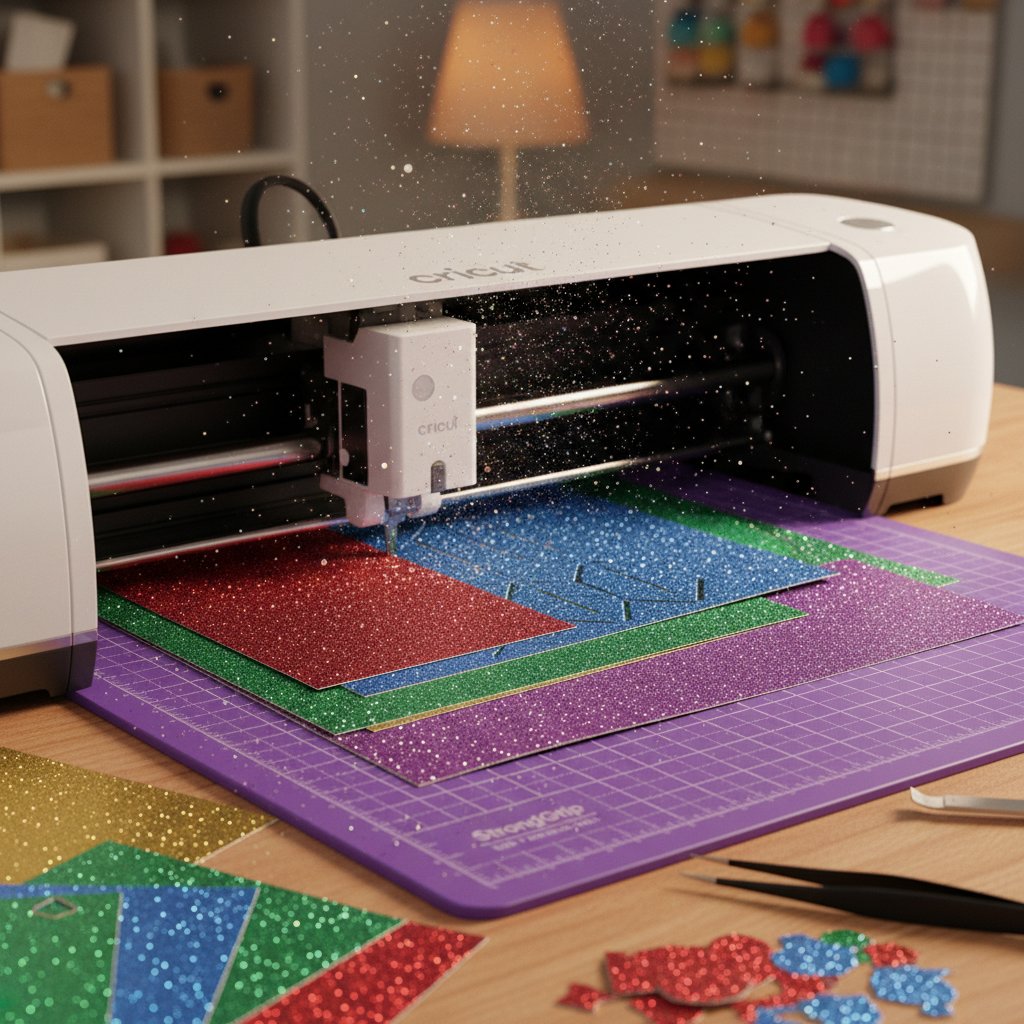
Glitter cardstock being cut on Cricut with visible sparkle

For troubleshooting cutting issues, see our comprehensive cardstock troubleshooting guide.

Before diving into settings and techniques, you need to understand what makes glitter cardstock uniquely challenging for cutting machines.

The Three-Layer Structure

Regular cardstock is a single uniform layer of paper fibers. Glitter cardstock, however, consists of three distinct layers:

  1. Base cardstock layer: Usually 65-80 lb weight paper
  2. Adhesive layer: Glue that bonds the glitter to the base (adds thickness and density)
  3. Glitter coating: Thousands of tiny reflective particles that create the sparkle effect

This three-layer structure means your blade must cut through varying densities in a single pass. The base cardstock cuts easily, but the adhesive layer is rubbery and resistant, while the glitter particles are abrasive and dull blades faster than any other material.

Types of Glitter Finishes

Not all glitter cardstock is created equal. Different finishes present different cutting challenges:

  • Classic Glitter: Traditional chunky glitter particles, most abrasive on blades but easiest to see cut lines
  • Fine Glitter: Smaller particles, smoother finish, medium difficulty
  • Glitter LUXE: High-quality no-shed glitter with richer color, cuts more consistently
  • SEQUIN Glitter: Hexagon-shaped particles, unique look, can be trickiest for intricate cuts
  • Holographic Glitter: Reflective rainbow effect, similar cutting characteristics to fine glitter

Each finish type may require slight adjustments to your cutting approach, but the core techniques in this guide apply to all glitter cardstock varieties.

Best Glitter Cardstock Brands for Cricut

Quality matters enormously with glitter cardstock. Cheap glitter paper from discount stores often has inconsistent thickness, poor adhesive bonding, and excessive shedding—all of which make cutting nearly impossible.

Top-recommended brands:

  1. Cricut Glitter Cardstock: The gold standard. Cuts clean every time, even with intricate designs. Minimal shedding, consistent quality.

  2. 12x12 Cardstock Shop - Glitter LUXE & SEQUIN: Professional-grade 78# cover weight. No-shed glitter formulation. Rich colors and exceptional cut quality.

  3. Encore Starry Night Glitter LUXE: Perfect for shadow box backgrounds. Clean cuts, professional finish.

Budget brands to avoid: Generic Amazon multi-packs often have quality control issues. Save money on other materials, but invest in quality glitter cardstock—your blade (and sanity) will thank you.

Essential Cricut Settings for Perfect Glitter Cardstock Cuts

The single biggest mistake crafters make is using incorrect material settings in Cricut Design Space. Glitter cardstock requires specific pressure and depth settings that differ significantly from regular cardstock.

Selecting the Right Material Setting

In Cricut Design Space, always select "Glitter Cardstock" from the material list—never use "Cardstock" or "Cardstock for Intricate Cuts."

Here's why: The Glitter Cardstock setting uses:

  • Higher blade pressure to penetrate the thick adhesive layer
  • Slower cutting speed for cleaner edges
  • Optimized blade depth to avoid tearing

Critical step: After selecting Glitter Cardstock, use the pressure dial on the "Make It" screen to fine-tune:

  • "Less" pressure: If you're seeing tearing or the paper is pulling up
  • "More" pressure: If cuts aren't going all the way through
  • "Default": Start here for most glitter cardstock

The Test Cut That Saves Materials

Before cutting your full design, always run a test cut. This single step prevents wasted materials and frustration:

  1. Create a small test shape (2-inch square with an intricate detail like a star cutout)
  2. Place scrap glitter cardstock on your mat
  3. Cut the test shape
  4. Examine the results:
    • Perfect cut: Edges clean, cuts completely through, no tearing → Proceed with full design
    • Not cutting through: Increase pressure by one setting
    • Tearing or pulling: Decrease pressure or check mat stickiness
    • Rough edges: Blade likely dull, replace before continuing

Pro tip: Keep a test cut library. Write the settings that worked on the back of each test cut (brand, weight, pressure setting, mat type). This creates a reference guide for future projects.

Advanced Setting Adjustments for Specific Scenarios

For specialized situations, you may need to deviate from standard settings:

Intricate shadow box layers with tiny details:

  • Use "Cardstock for Intricate Cuts" setting instead
  • Reduce cutting speed in advanced settings (if available in your machine)
  • Consider using a Premium Fine-Point Blade (lasts 4x longer, stays sharper)

Extra-thick glitter cardstock (100+ lb):

  • Switch to "Heavy Cardstock" or "Glitter Cardstock for Intricate Cuts"
  • Use a Deep-Point Blade instead of Fine-Point
  • Increase pressure to "More" or even "More +" if available

Layered cuts (cutting multiple sheets at once):

  • Don't. Seriously. Glitter cardstock should always be cut one sheet at a time.
  • The varying thickness and adhesive layers make multi-layer cutting impossible

The Great Mat Debate: Which Mat Really Works for Glitter Cardstock?

There's genuine disagreement in the crafting community about which Cricut mat works best for glitter cardstock. Cricut's official guidance conflicts with real-world user experience, so let's break down the truth.

Cricut's Official Recommendation: StrongGrip Mat (Purple)

Cricut's help documentation recommends the StrongGrip mat for glitter cardstock because:

  • The aggressive adhesive holds down the heavier, thicker material
  • Prevents shifting during cutting (a major cause of tears)
  • Handles the extra thickness without buckling

When StrongGrip works best:

  • Heavy glitter cardstock (80+ lb weight)
  • Large sheets that might shift on a weaker mat
  • Machines with higher cutting pressure (Cricut Maker, Maker 3)
  • Brand-new mats with full adhesive strength

The Alternative: LightGrip Mat (Blue)

Many experienced crafters swear by the LightGrip mat for glitter cardstock, despite official recommendations. Their reasoning:

"If a mat is too sticky, it will tear the paper up when you're trying to remove it. The glitter coating can stick to aggressive adhesive, and when you peel the cardstock off, the base layer separates from the glitter layer—ruining your cut."

When LightGrip works best:

  • Lighter glitter cardstock (65-70 lb weight)
  • Delicate or intricate cuts where removal stress is a concern
  • Older mats that have lost some stickiness (but aren't completely worn out)
  • Projects where you're more concerned about removal damage than shifting

The Middle Ground: StandardGrip Mat (Green)

The StandardGrip mat is the Goldilocks option—not too sticky, not too weak:

When StandardGrip works best:

  • Medium-weight glitter cardstock (70-80 lb)
  • Most shadow box projects
  • When you're unsure which mat to use
  • General crafting where you want one mat that handles multiple materials

The Real Answer: It Depends on Your Specific Cardstock

The truth: Different glitter cardstock brands and finishes respond differently to mat adhesion. Your best approach:

  1. Start with StandardGrip (green mat) as your baseline
  2. If shifting occurs during cutting → Move to StrongGrip
  3. If removal causes tearing → Move to LightGrip
  4. Document which mat works for each brand/type in your test cut library

Mat Preparation for Glitter Cardstock

Regardless of which mat you choose, proper preparation is critical:

Before each cut:

  1. Remove all debris and loose glitter from previous cuts using a lint roller
  2. Check for worn spots (edges and corners wear out first)
  3. Brayer down your glitter cardstock firmly and evenly—air bubbles under the sheet will cause incomplete cuts
  4. Position cardstock in the upper-left corner where adhesion is strongest

Mat cleaning for glitter cardstock:

  • Glitter particles embed in mat adhesive over time
  • Clean every 3-5 glitter cuts: Warm water + mild dish soap + soft sponge
  • Air dry completely (4-6 hours) before next use
  • Never use alcohol-based cleaners (they damage adhesive)

Blade Selection and Maintenance: The Most Critical Factor

Your blade determines 80% of your glitter cardstock cutting success. Even perfect settings and mat selection won't save you if your blade is dull, dirty, or incorrectly installed.

Best Blades for Glitter Cardstock

Fine-Point Blade (Standard):

  • Works for most glitter cardstock (65-80 lb weight)
  • Suitable for intricate shadow box designs
  • Limitation: Dulls quickly on glitter cardstock (expect 15-20 projects before replacement)

Premium Fine-Point Blade (German Carbide Steel):

  • Lasts 4x longer than standard blades on abrasive materials
  • Maintains sharp edge through dozens of glitter projects
  • Best investment for crafters who regularly use glitter cardstock
  • Initial cost is higher, but cost-per-project is actually lower

Deep-Point Blade:

  • Required for thick glitter cardstock (100+ lb weight)
  • Necessary for layered materials or chipboard
  • Not ideal for intricate designs (wider cutting path)

Blade to avoid: The rotary blade is not recommended for glitter cardstock. It's designed for fabric and thin materials, and the glitter particles will quickly gum up the mechanism.

The Aluminum Foil Blade Cleaning Trick
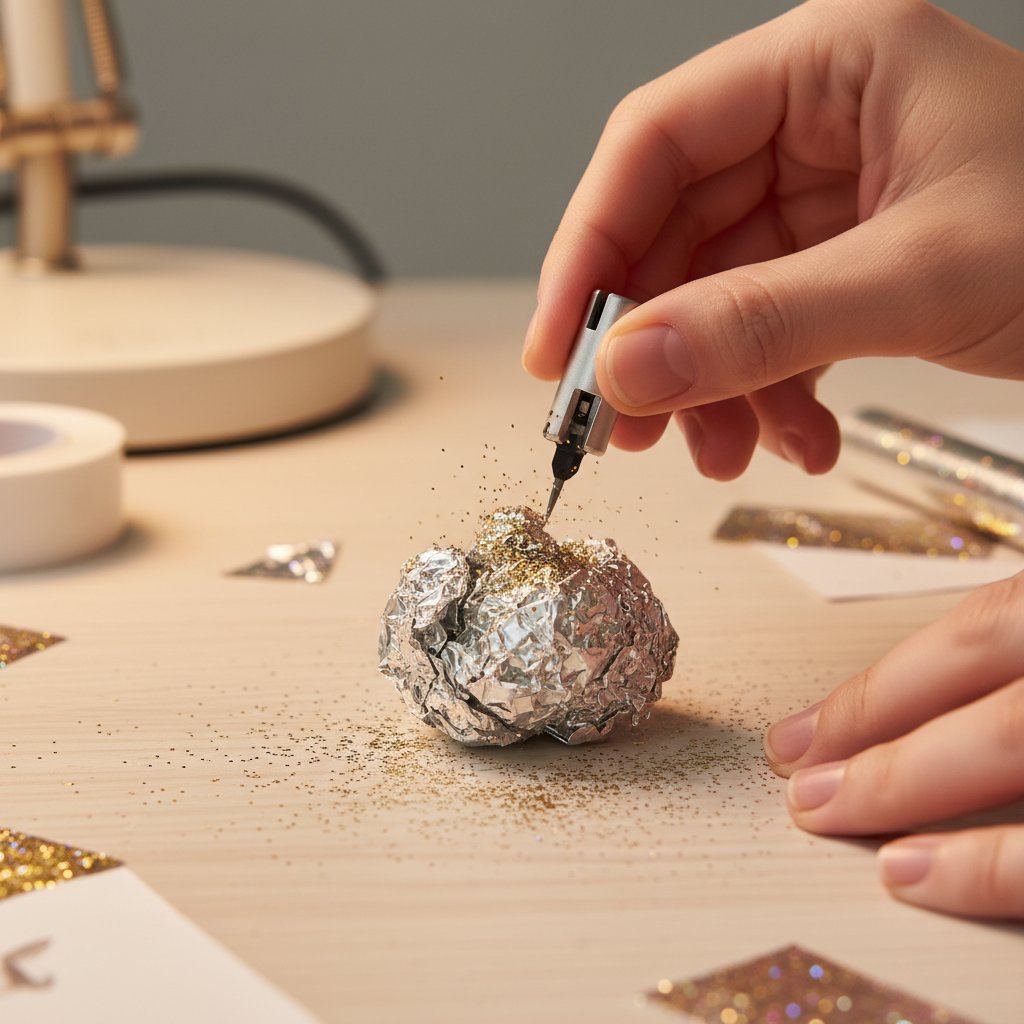
Aluminum foil blade cleaning technique demonstration

Glitter cardstock is notorious for leaving adhesive residue and micro-particles on your blade edge. Even invisible buildup degrades cutting performance dramatically.

The aluminum foil technique:

  1. Take a sheet of aluminum foil (regular kitchen foil)
  2. Ball it up loosely
  3. Stab your blade into the foil ball 15-20 times
  4. The abrasive foil scrapes away residue without damaging the blade edge
  5. Wipe blade with a lint-free cloth

When to clean: After every 3-5 glitter cardstock cuts, or immediately if you notice:

  • Rough or jagged cut edges
  • Inconsistent cutting depth
  • Tearing instead of clean cuts

When to Replace Your Blade

Glitter cardstock is exceptionally hard on blades. Replace immediately when you see:

  • Tearing persists even after cleaning with aluminum foil
  • Visible damage to the blade tip (use a magnifying glass to inspect)
  • Inconsistent cuts across the same design
  • You've completed 15-20 glitter cardstock projects (for standard blades)
  • Rough edges on intricate details

Blade preservation tip: Dedicate one blade specifically to glitter cardstock. Don't use your "glitter blade" for regular cardstock or vinyl—this maximizes its working life and ensures consistent performance.

Proper Blade Installation

A blade that isn't fully seated in the housing will cause depth inconsistencies and poor cuts:

  1. Remove blade from packaging carefully (don't touch the blade tip)
  2. Insert into blade housing with the blade facing the correct direction
  3. Push firmly until you hear and feel a click
  4. Gently tug on the blade—it should not pull out
  5. Insert housing into the machine's clamp, ensuring it's locked securely

Common mistake: Assuming the blade is installed correctly because it "went in." If you didn't hear a click, it's not properly seated.

Advanced Cutting Techniques for Flawless Results

Beyond settings and tools, technique separates amateur results from professional-quality cuts. These advanced methods prevent the most common glitter cardstock problems.

The Burnishing Technique

Simply placing glitter cardstock on your mat isn't enough. Burnishing ensures complete contact between the cardstock and adhesive:

  1. Place glitter cardstock on mat (glitter side up for cutting glitter side, glitter side down for cutting backing only)
  2. Use a Cricut brayer or scraper tool
  3. Roll or press firmly from the center outward
  4. Pay special attention to corners and edges
  5. Look for air bubbles (you'll see them as slight raised areas)
  6. Burnish again until all air is removed

Why this matters: Even tiny air gaps allow the cardstock to lift slightly during cutting, causing the blade to tear rather than cut cleanly.

The Mat-Flip Removal Method

This technique dramatically reduces tearing during removal:

Traditional method (causes tearing):

  • Peel cardstock off the mat
  • The pulling force stresses the material, especially around intricate cuts
  • Glitter layer can separate from base layer

Mat-flip method (professional approach):

  1. After cutting, carefully flip the entire mat over
  2. Peel the mat away from the cardstock (not cardstock away from mat)
  3. Support the cardstock with your other hand
  4. The gentler angle and reduced pulling force prevents tears
  5. Use a weeding tool to gently release any stuck portions

For intricate cuts: Remove negative space (waste material) while still on the mat, then use the flip method to remove the final piece.

Dealing with Glitter Shedding

Glitter shedding is inevitable, but you can minimize it and prevent it from ruining your cuts:

Before cutting:

  • Gently tap the glitter cardstock sheet over a trash can to remove loose particles
  • Don't aggressively shake or bend (this loosens more glitter)

During cutting:

  • The cutting process will dislodge glitter particles
  • These can accumulate in the blade housing and on the mat

After cutting:

  • Clean your mat immediately with a lint roller
  • Use the aluminum foil trick to clean your blade
  • Wipe down the area around your machine (glitter travels!)

Pro tip: Place a sheet of paper or a cutting mat underneath your Cricut to catch falling glitter. This makes cleanup much easier.

Intricate Cuts and Small Details

Shadow box designs often require extremely detailed cuts that push the limits of glitter cardstock:

Minimum cut size guidance:

  • Exterior cuts: 0.25 inches minimum for clean release
  • Interior cuts (like tiny windows or stars): 0.5 inches minimum
  • Anything smaller will likely tear or not cut through completely

Technique for intricate designs:

  1. Simplify your design if possible (merge tiny pieces, enlarge details)
  2. Use "Cardstock for Intricate Cuts" setting for complex areas
  3. Slow down cutting speed (if your machine allows)
  4. Use a brand-new or Premium blade
  5. Consider using fine glitter instead of chunky glitter (smoother cuts)

Weeding intricate cuts:

  • Use a pointed weeding tool to carefully lift waste material
  • Work from the outside in
  • Support the surrounding material with your finger to prevent tearing
  • If a piece won't release, it's not fully cut—use an X-Acto knife to finish the cut manually

Troubleshooting Common Glitter Cardstock Problems

Even with perfect settings and technique, problems can still occur. Here's how to diagnose and fix the most frustrating glitter cardstock issues.

Problem: Incomplete Cuts (Not Cutting All the Way Through)

Symptoms: The design appears to cut, but when you try to remove pieces, they're still attached. The blade traced the lines but didn't penetrate completely.

Causes and solutions:

  1. Pressure too low

    • Solution: Increase pressure to "More" setting
    • If already on "More," try "More +" or increase custom pressure
  2. Blade is dull

    • Solution: Clean blade with aluminum foil trick
    • If cleaning doesn't help, replace blade immediately
  3. Cardstock thicker than expected

    • Solution: Weigh your cardstock if possible
    • Switch to "Heavy Cardstock" or use Deep-Point Blade for 100+ lb stock
  4. Mat too sticky (cardstock compressed into adhesive)

    • Solution: Pre-stick mat to fabric to reduce stickiness slightly
    • Or switch to a less aggressive mat

Problem: Tearing and Ripping During Cuts

Symptoms: Instead of clean cuts, the blade tears rough edges or rips chunks out of the cardstock.

Causes and solutions:

  1. Pressure too high

    • Solution: Decrease pressure to "Less" setting
    • Even glitter cardstock can be over-cut
  2. Mat too sticky

    • Solution: Switch to LightGrip or StandardGrip mat
    • Clean current mat to reduce tackiness
  3. Blade is damaged or has debris

    • Solution: Inspect blade under magnification
    • Clean with aluminum foil
    • Replace if tip is bent or chipped
  4. Cardstock not fully adhered to mat

    • Solution: Burnish thoroughly before cutting
    • Check for air bubbles and re-burnish
  5. Cardstock quality issues

    • Solution: Budget glitter cardstock often has inconsistent adhesive
    • Switch to quality brands (Cricut, 12x12 Shop, Encore)

Problem: Glitter Shedding Everywhere

Symptoms: Glitter particles covering your workspace, mat, and blade. Excessive mess and degraded cutting performance.

Causes and solutions:

  1. Low-quality glitter cardstock

    • Solution: Invest in no-shed or LUXE glitter formulations
    • Avoid discount store multi-packs
  2. Over-handling the material

    • Solution: Minimize bending and flexing before cutting
    • Store glitter cardstock flat
  3. Aggressive removal from mat

    • Solution: Use the mat-flip method
    • Remove slowly and carefully

Mitigation: Shedding is normal to some degree. Clean frequently:

  • Lint-roll mat after each cut
  • Aluminum foil clean blade every 3-5 cuts
  • Wipe down machine surface regularly

Problem: Uneven or Rough Cut Edges

Symptoms: Cut edges look jagged or rough instead of smooth and clean.

Causes and solutions:

  1. Dull blade

    • Solution: This is the #1 cause
    • Replace blade—glitter cardstock dulls blades quickly
  2. Cutting speed too fast

    • Solution: Use "Glitter Cardstock" setting (has slower speed)
    • If available, manually reduce cutting speed
  3. Multiple passes with a dull blade

    • Solution: One pass with a sharp blade beats three passes with a dull one
    • Replace blade and use correct pressure

Problem: Blade Dulling Too Quickly

Symptoms: You're replacing blades after just a few glitter projects, blowing through your blade budget.

Causes and solutions:

  1. Using standard blades for abrasive material

    • Solution: Invest in Premium Fine-Point Blades (German carbide steel)
    • They cost more upfront but last 4x longer
  2. Not cleaning blade between cuts

    • Solution: Clean with aluminum foil every 3-5 cuts
    • Debris accumulation accelerates dulling
  3. Cutting through adhesive backing

    • Solution: Ensure you're only cutting the glitter side when appropriate
    • Excessive adhesive contact dulls blades faster
  4. Low-quality glitter cardstock with extra-abrasive particles

    • Solution: Switch to quality brands with refined glitter
    • The savings on cheaper cardstock disappear in blade replacement costs

Shadow Box-Specific Tips for Glitter Cardstock

Beautiful glitter cardstock shadow box layers showing depth and sparkle

Using glitter cardstock in layered shadow box projects presents unique challenges beyond simple cutting.

Layering Glitter Cardstock Effectively

Placement strategy:

  • Use glitter cardstock for accent layers, not every layer
  • Too much glitter creates visual chaos and increases project difficulty
  • Ideal ratio: 2-3 glitter layers mixed with 5-6 regular cardstock layers

Which layers for glitter:

  • Background layer: Adds shimmer behind the entire scene
  • Focal point layer: The main subject (like a deer silhouette in a forest scene)
  • Accent details: Small elements like stars, snowflakes, or decorative borders

Avoid: Using glitter for highly intricate middle layers with tiny cuts—too difficult and waste of expensive material.

Combining Glitter Cardstock with Other Materials

Glitter cardstock pairs beautifully with complementary materials:

  • Regular cardstock: Provides visual contrast and reduces cost
  • Vellum: Creates dreamy layering effects when placed over glitter
  • Black or dark cardstock: Makes glitter "pop" dramatically (especially for shadow box frames)

Adhesion tip: Glitter surfaces don't accept glue as well as regular cardstock. Use:

  • Foam adhesive dots (don't rely on just the edges)
  • Glue gun for small spots (low-temp to avoid warping)
  • Double-sided tape designed for textured surfaces

Thickness Considerations for Shadow Box Assembly

Glitter cardstock is thicker than regular cardstock, affecting your shadow box spacing:

  • Standard cardstock: ~0.010 inches thick
  • Glitter cardstock: ~0.015-0.020 inches thick (50-100% thicker)

Impact on spacing:

  • Plan spacer thickness accordingly
  • If your design calls for 1/4-inch foam spacers, test first
  • May need to increase to 3/8-inch spacers for glitter layers

Testing approach: Create a test stack with your exact materials and measure total depth before cutting all layers.

Conclusion: Mastering Glitter Cardstock Cutting

Cutting glitter cardstock successfully isn't about luck—it's about understanding the material's unique properties and applying the right combination of settings, tools, and techniques.

The key secrets we've covered:

  • Material matters: Invest in quality glitter cardstock (Cricut, 12x12 Shop LUXE, Encore)
  • Settings precision: Always use "Glitter Cardstock" setting and run test cuts
  • Mat selection: Start with StandardGrip, adjust based on your specific cardstock
  • Blade care: Clean with aluminum foil every 3-5 cuts, replace regularly, consider Premium blades
  • Technique: Burnish thoroughly, use mat-flip removal method, work slowly and carefully

Remember that glitter cardstock is inherently more difficult than regular cardstock. Some tearing, shedding, and blade wear is normal—the goal is to minimize these issues, not eliminate them entirely.

For more comprehensive troubleshooting that covers all types of cardstock and other cutting issues, see our complete [Cricut Cardstock Troubleshooting Bible](/articles/{{link:qerm:Cricut Cardstock Troubleshooting Bible}}/).

With practice, patience, and these proven techniques, you'll create stunning shadow box projects with perfectly cut glitter cardstock that sparkles brilliantly in every layer. Now grab that glitter cardstock with confidence—you've got this.