Articles 13 min read

Beginner Paper Cut Shadow Box Project - Planning Guide

Your comprehensive guide to beginner paper cut shadow box project.

Beginner Paper Cut Shadow Box Project - Planning Guide

Planning Your First Paper Cut Shadow Box Project

Starting your first paper cut shadow box project can feel overwhelming when you're staring at your new Cricut or Silhouette machine, wondering where to begin. The difference between a frustrating first attempt and a successful beginner paper cut shadow box project often comes down to one thing: proper planning.

In our complete guide to making layered paper cut shadow boxes, we covered the entire process from materials to final assembly. This article focuses specifically on the critical planning phase that sets beginners up for success before making that first cut.

Whether you're a new Cricut owner excited to try dimensional paper crafts or a traditional paper crafter moving into 3D projects, taking time to plan your first shadow box prevents common mistakes, saves money on wasted materials, and dramatically increases your chances of creating something you'll be proud to display or gift.

Why Planning Matters for Shadow Box Success

Unlike simple flat paper crafts where you can improvise as you go, layered paper cut shadow boxes require upfront planning. Each layer must align perfectly with the others, your frame depth must accommodate your layer count, and your cardstock colors need to work together to create the dimensional effect.

Experienced crafters report that 80% of shadow box failures happen during the planning stage, not during cutting or assembly. Running out of cardstock mid-project, choosing a design too complex for your skill level, or purchasing a frame that's too shallow for your layer count are all preventable planning mistakes.

The good news? Proper planning takes just 30-45 minutes but saves hours of frustration and potentially wasted materials. Think of planning as your project's foundation—everything else builds on these decisions.

Step 1: Choose Your First Design Wisely
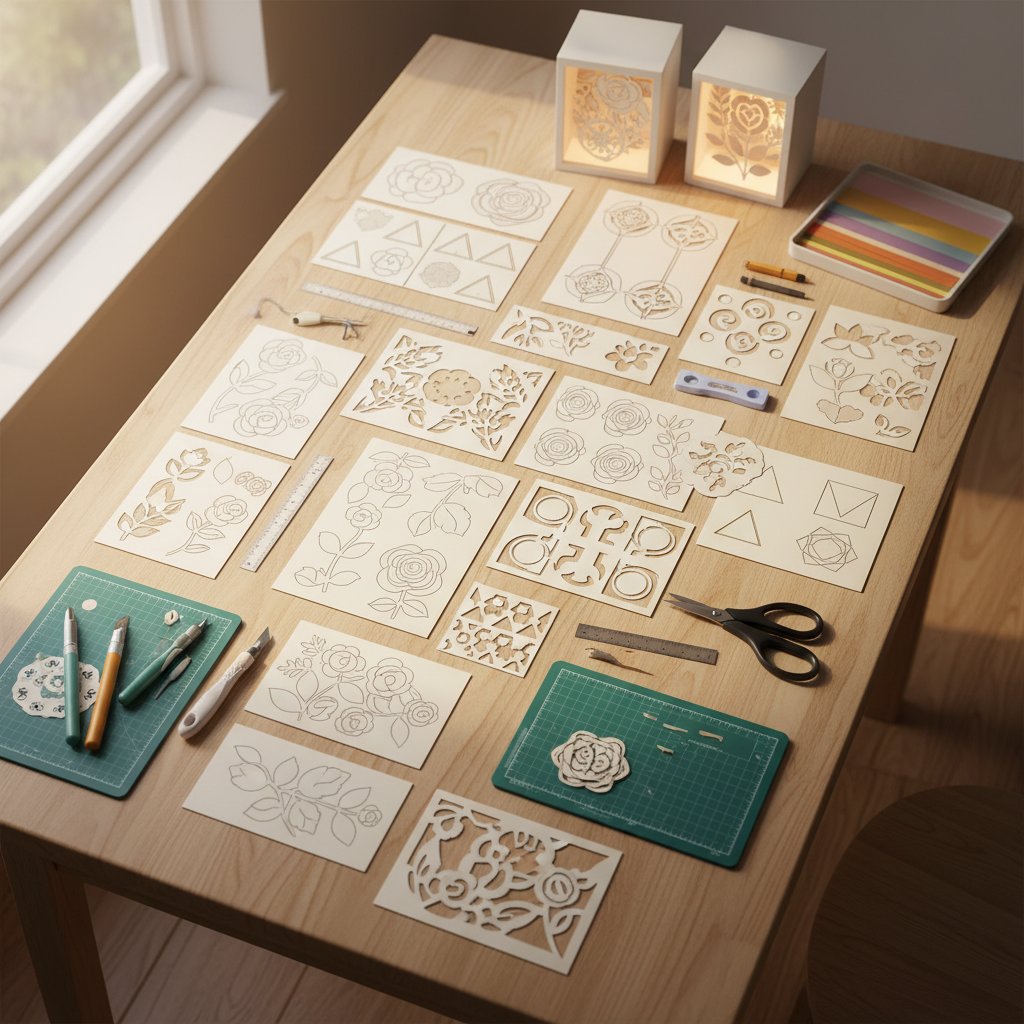
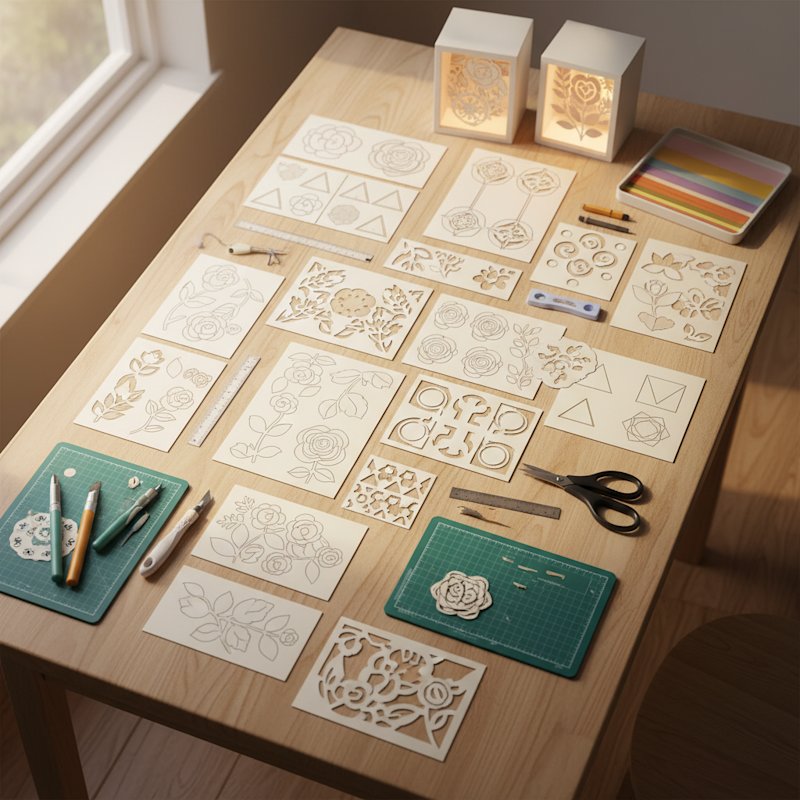
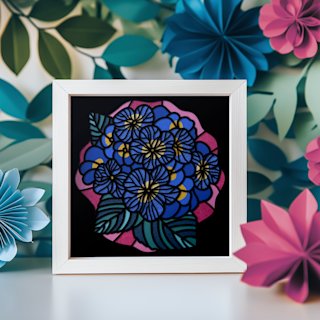
Various beginner-friendly paper cut shadow box design templates displayed on a craft table showing simple floral and geometric patterns

Your first shadow box design choice is the single most important planning decision you'll make. Choose too complex, and you'll struggle with intricate weeding and alignment. Choose too simple, and your finished project may look underwhelming.

Ideal Beginner Design Characteristics

Layer count: 6-8 layers

This sweet spot provides impressive dimensional depth without overwhelming complexity. You'll spend 60-90 minutes cutting rather than 3+ hours, and assembly remains manageable. Designs with fewer than 6 layers often lack the "wow factor" that makes shadow boxes special, while 10+ layer projects should wait until you've completed a few simpler ones.

Moderate detail level

Look for designs where the smallest cutout areas measure at least 0.25 inches (about 6mm). Tiny delicate details create weeding nightmares for beginners—those little pieces either fall off during cutting or tear when you try to remove surrounding paper.

Good beginner-friendly details include simple flower petals, basic tree branches, geometric shapes, and clear window cutouts. Avoid designs with intricate filigree, extremely thin connecting pieces, or text smaller than 0.5 inches.

Single or two-color designs

Starting with all white cardstock or a simple two-color palette (like white and one accent color) minimizes your material investment and eliminates color coordination stress. You can always add color complexity in future projects once you've mastered the basic techniques.

Clear assembly instructions included

Premium templates often include detailed PDF assembly guides with photos showing exactly how layers stack. For your first project, this guidance is invaluable. Free templates sometimes lack these instructions, which adds unnecessary difficulty for beginners.

Simple floral designs: A single large flower (rose, sunflower, daisy) with 6-7 layers creates beautiful depth without complex backgrounds.

Nature silhouettes: Tree designs, simple landscapes, or botanical themes work wonderfully because natural variations in alignment are less noticeable than geometric patterns.

Seasonal icons: Christmas trees, snowflakes, pumpkins, or Easter eggs are recognizable, forgiving designs that make great seasonal decor.

Geometric and mandala patterns: Symmetrical designs actually help with alignment since you can use the pattern itself as a visual guide.

Designs to Avoid for First Projects

  • Multi-building cityscapes with numerous windows
  • Character designs with facial details
  • Designs with more than 10 layers
  • Templates with text smaller than 0.5 inches
  • Extremely intricate floral clusters
  • Designs featuring very thin connecting elements

Remember: your first project's goal is to learn the process and build confidence. Choose a design that excites you but doesn't intimidate you.

Step 2: Sketch Your Vision and Layer Plan

Before purchasing any materials, spend 15-20 minutes sketching your project plan. This simple step prevents costly mistakes and helps you visualize the final result.

Create a Quick Thumbnail Sketch

You don't need artistic skills for this. Draw a simple rectangle representing your frame size, then sketch basic shapes showing how layers will stack. Mark which elements appear in foreground layers (closest to viewer) versus background layers.

This thumbnail helps you see potential issues:

  • Are foreground elements blocking important background details?
  • Does the composition feel balanced?
  • Will light pass through effectively when backlit?

Map Your Layer Order

If your template doesn't clearly indicate layer order, create a numbered list showing what each layer contains:

Example Layer Map:

  • Layer 1 (front): Main flower petals
  • Layer 2: Inner flower details
  • Layer 3: Stem and leaves
  • Layer 4: Additional leaf details
  • Layer 5: Shadow elements
  • Layer 6 (back): Solid or lightly detailed background

This map becomes your reference during cutting and assembly, preventing the common mistake of cutting layers out of order or assembling them incorrectly.

Plan Spacer Placement

Lightly sketch where you'll place foam spacers on each layer. Spacers must go in solid areas (not in cutouts where they'd show through), and you need 6-10 spacers per layer for stable support.

Identifying spacer locations now prevents the frustrating discovery during assembly that you have nowhere to place spacers without them being visible through your design.

Step 3: Calculate and Gather Required Materials

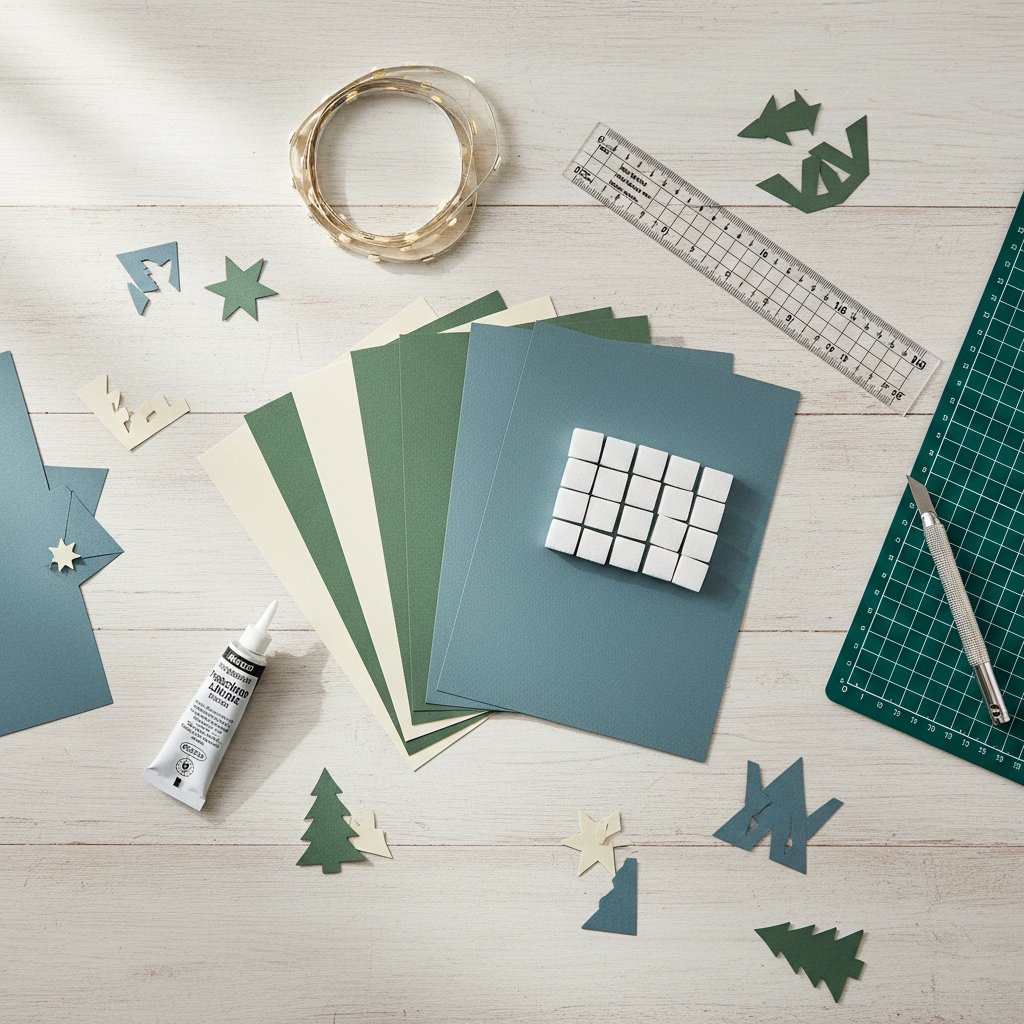
Shadow box crafting materials neatly organized including cardstock, foam spacers, LED lights, precision glue, and measuring tools on a clean workspace

Nothing derails a beginner shadow box project faster than running out of cardstock halfway through or discovering your frame is too shallow. A complete materials checklist prevents these problems.

Frame Size and Depth Calculation

Choose your frame size first, then verify your design fits. Common beginner-friendly sizes:

  • 8x8 inches: Perfect for first projects, compact and affordable
  • 8x10 inches: Standard photo frame size, widely available
  • 11x14 inches: Larger format if you want a statement piece

Calculate required frame depth using this formula:

(Number of layers - 1) × Spacer thickness + Paper thickness + Light depth

Example for 7-layer project:

  • 6 spacer layers × 5mm = 30mm
  • Paper thickness (7 sheets) ≈ 2mm
  • LED light strip ≈ 8mm
  • Total minimum depth needed: 40mm (1.6 inches)

Always choose a frame with at least 0.5 inches more depth than your calculation. Box frames labeled "2.75-3 inches deep" work perfectly for most 6-8 layer beginner projects.

Complete Cardstock Checklist

Quantity needed:

  • Number of layers in your design
  • Plus 3 extra sheets for test cuts and mistakes
  • Plus 1-2 sheets if using a new cardstock brand you haven't tested

Example: For a 7-layer design = 7 + 3 + 1 = 11 sheets of cardstock

Weight specifications:

  • 65-80 lb cardstock (also labeled as 160-220 gsm)
  • Medium weight, not lightweight copy paper or heavyweight cover stock
  • Solid core (color goes through entire thickness)

Color planning:

  • All white or cream for traditional backlit effect
  • OR foreground layers in one color, background in another
  • Ensure all cardstock comes from the same brand and purchase batch

Where to buy:

  • Michaels, Hobby Lobby, JOANN (Recollections, Bazzill brands)
  • Online: Amazon, specialty paper retailers
  • Buy all at once to ensure color consistency

Lighting and Spacers Shopping List

LED strip lights:

  • Battery-operated (most versatile)
  • 6-10 feet length (you'll cut to size)
  • Remote control for color/brightness adjustment
  • Warm white, cool white, or RGB options
  • Budget: $10-20 for good quality strips

Foam spacers:

  • 5mm thick foam mounting tape or foam board
  • Adhesive-backed preferred (saves assembly time)
  • Approximately 50-100 small pieces needed for 6-8 layer project
  • Budget: $5-10

Adhesives:

  • Precision tip liquid glue (Beacon Zip Dry or Aleene's Tacky Glue)
  • For securing delicate pieces and reinforcing stress points
  • Budget: $4-6

Essential Tools Checklist

Before starting your first project, verify you have:

Machine tools:

  • Fresh Fine-Point blade in your Cricut/Silhouette
  • StandardGrip cutting mat (clean and sticky)
  • Weeding tool for removing small cut pieces
  • Spatula for lifting finished cuts from mat
  • Brayer for adhering cardstock to mat

Assembly tools:

  • Metal ruler for measuring
  • Sharp scissors for cutting foam spacers
  • Tweezers for positioning small pieces
  • Pencil for marking layer numbers
  • Clean workspace with good lighting

Estimated total cost for first project: $40-65 including frame, cardstock, lights, and spacers (assuming you already own the cutting machine and basic tools).

Step 4: Create Your Pre-Project Timeline

Understanding how long each phase takes prevents you from starting a project at 8 PM and expecting to finish it that evening (a common beginner mistake that leads to rushed work and mistakes).

Realistic Time Breakdown for First Project

Phase 1: Setup and Preparation (45-60 minutes)

  • Import SVG into software
  • Resize if needed
  • Verify layers separate correctly
  • Cut cardstock to mat size if using 12x12 sheets
  • Run test cut and adjust settings
  • Organize workspace

Phase 2: Cutting All Layers (90-120 minutes)

  • Cut each layer (7-12 minutes per layer depending on complexity)
  • Weed each layer immediately after cutting
  • Label layers on back with layer numbers
  • Organize cut layers in order
  • Inspect for any missed cuts

Phase 3: Assembly Preparation (30 minutes)

  • Cut foam spacers to size
  • Create assembly plan
  • Dry-fit all layers without adhesive
  • Mark spacer positions lightly in pencil
  • Clean any fingerprints or marks from white cardstock

Phase 4: Layer Assembly (60-90 minutes)

  • Apply spacers and stack layers one at a time
  • Check alignment after each layer addition
  • Work slowly and carefully
  • Allow 30-minute drying time after final layer

Phase 5: Framing and Lighting (45-60 minutes)

  • Install LED strip in frame
  • Clean frame glass thoroughly
  • Place assembled shadow box in frame
  • Test lighting and make adjustments
  • Secure backing
  • Add hanging hardware

Total project time: 4.5-6 hours

Option 1: Weekend afternoon project

  • Saturday afternoon: Setup, cutting, and weeding (2-3 hours)
  • Saturday evening: Let work rest, review progress
  • Sunday afternoon: Assembly and framing (2-3 hours)

Option 2: Single session (if experienced with cutting machine)

  • Plan a relaxed 5-6 hour block
  • Take breaks between phases
  • Don't rush assembly even if cutting went quickly

What NOT to do:

  • Start cutting at 9 PM hoping to finish before bed
  • Schedule your project the day before you need to gift it
  • Rush assembly because you spent too long troubleshooting cutting settings

Step 5: Pre-Flight Checklist Before First Cut

Before loading that first sheet of cardstock, run through this final checklist. These simple verifications prevent the most common beginner mistakes.

Design and Software Checks

  • ✅ Design imported correctly with all layers visible
  • ✅ Layers separate (ungrouped) so you can cut one at a time
  • ✅ Design sized correctly for your frame with 0.5" clearance on all sides
  • ✅ All layers resized together at same percentage (if resizing was needed)
  • ✅ Layer numbers identified and documented

Materials Ready

  • ✅ All cardstock purchased and available (layer count + 3 extras minimum)
  • ✅ Frame purchased with verified adequate depth
  • ✅ LED lights purchased and tested outside frame
  • ✅ Foam spacers and adhesive ready
  • ✅ All tools clean and within reach

Machine Preparation

  • ✅ Fresh or nearly-new blade installed
  • ✅ Cutting mat clean and sticky (not too sticky—test with scrap paper)
  • ✅ Test cut completed on scrap cardstock
  • ✅ Settings adjusted based on test cut results
  • ✅ Machine firmware updated if applicable

Workspace Organization

  • ✅ Clean, flat work surface cleared
  • ✅ Good lighting available
  • ✅ Storage containers ready for cut layers
  • ✅ Trash container nearby for weeded pieces
  • ✅ Snacks and water available (seriously—you'll be working for hours!)

Knowledge Check

  • ✅ You've watched at least one assembly video for reference
  • ✅ You understand which layer is front vs. back
  • ✅ You know where spacers will be placed
  • ✅ You have realistic time expectations
  • ✅ You're mentally prepared that small imperfections are normal and expected for a first project

Common Planning Mistakes to Avoid

Even with a solid plan, beginners often fall into these preventable traps:

Mistake 1: Choosing a Free Template Without Verification

The problem: Many free templates are poorly designed with overlapping cut lines, incorrect layer sizing, or missing pieces.

The solution: Read reviews or comments if available. Download and import the template into your software before purchasing materials. Verify all layers import correctly and the design looks complete. Consider investing $5-10 in a proven premium template for your first project.

Mistake 2: Buying Cardstock Before Testing Your Settings

The problem: You purchase ten sheets of expensive white cardstock, then discover it's too thick for your machine or too thin to hold its shape.

The solution: Buy one or two test sheets of your planned cardstock first. Run test cuts with various settings. Only purchase your full supply after confirming it cuts cleanly and works well for your machine.

Mistake 3: Underestimating Frame Depth Requirements

The problem: You assemble your beautiful 8-layer shadow box with 5mm spacers, only to discover it's 6cm thick but your frame is only 4cm deep.

The solution: Calculate depth requirements before purchasing your frame. Always choose frames with at least 0.5 inches more depth than your calculation. When in doubt, go deeper—you can fill extra space with backing material, but you can't make a shallow frame deeper.

Mistake 4: Not Reading Assembly Instructions Before Cutting

The problem: You cut all your layers, then discover the instructions recommend specific color placement or indicate that certain layers should be combined.

The solution: Read through all assembly instructions before cutting anything. Some designs require specific assembly techniques that might affect your material choices or cutting order.

Mistake 5: Planning Projects Beyond Your Current Skill Level

The problem: Your first shadow box is a 12-layer cityscape with tiny window cutouts, and you spend 8 hours weeding intricate details before giving up in frustration.

The solution: Be honest about your current skill level. If you've never cut anything on your machine before, start with a simple 6-layer design. Build confidence before tackling complex projects. Every shadow box you complete teaches skills for the next one.

Your Planning Checklist: Quick Reference

Print or bookmark this quick checklist for your first beginner paper cut shadow box project:

Design Selection:

  • ☐ 6-8 layers for first project
  • ☐ Details at least 0.25 inches
  • ☐ Clear instructions included
  • ☐ Design verified in software before purchasing materials

Materials Purchased:

  • ☐ Cardstock (layers + 3 extras, 65-80 lb, solid core)
  • ☐ Frame (correct size, minimum 2.75" depth for 6-8 layers)
  • ☐ LED lights (battery-operated with remote)
  • ☐ Foam spacers (5mm thick)
  • ☐ Adhesive (precision liquid glue)

Timeline Planned:

  • ☐ 5-6 hours blocked for project
  • ☐ No deadline pressure
  • ☐ Workspace reserved and organized

Pre-Flight Checks:

  • ☐ Test cut completed successfully
  • ☐ Fresh blade installed
  • ☐ All layers identified and organized in software
  • ☐ Assembly instructions read and understood

Next Steps: From Planning to Creation

With your project thoroughly planned, you're ready to move from preparation to creation. Your careful planning work pays off when:

  • Your test cut works perfectly because you chose appropriate cardstock
  • All layers align beautifully because you verified sizing and resized everything together
  • Assembly feels manageable because you chose a beginner-appropriate design
  • Your finished shadow box fits perfectly in your frame because you calculated depth correctly
  • You have enough materials because you bought extras for mistakes and tests

The planning phase might feel tedious when you're excited to start cutting, but experienced shadow box crafters will tell you that planning time is never wasted. It's the difference between a frustrating experience that makes you reluctant to try again and a successful first project that launches you into an enjoyable new craft.

Ready to move from planning to action? Gather your materials, prepare your workspace, and get ready to bring your carefully planned shadow box to life. With proper planning complete, you're set up for success on your first beginner paper cut shadow box project.


Research Sources: