Articles 21 min read

Paper Light Box Mistakes Beginners Make (And Fixes)

Your comprehensive guide to paper light box mistakes.

Paper Light Box Mistakes Beginners Make (And Fixes)

Paper Light Box Mistakes Beginners Make (And How to Fix Them)

Creating beautiful paper light boxes and shadow boxes is an exciting journey, but like any craft, beginners often encounter frustrating challenges along the way. Whether you're experiencing torn paper during cutting, misaligned layers during assembly, or disappointing results when you light up your finished project, understanding these common paper light box mistakes will help you troubleshoot problems quickly and achieve professional results.

As covered in our complete guide to making layered paper cut shadow boxes, the process involves multiple steps from importing SVG files to final framing and lighting. Each stage presents unique challenges that can trip up new crafters. This article walks you through the most common mistakes at each stage and provides practical solutions based on expert advice and community experience.

By learning what problems to watch for and how to prevent them, you'll save time, cardstock, and frustration while building your confidence as a shadow box creator.

Cutting Mistakes That Ruin Your Layers
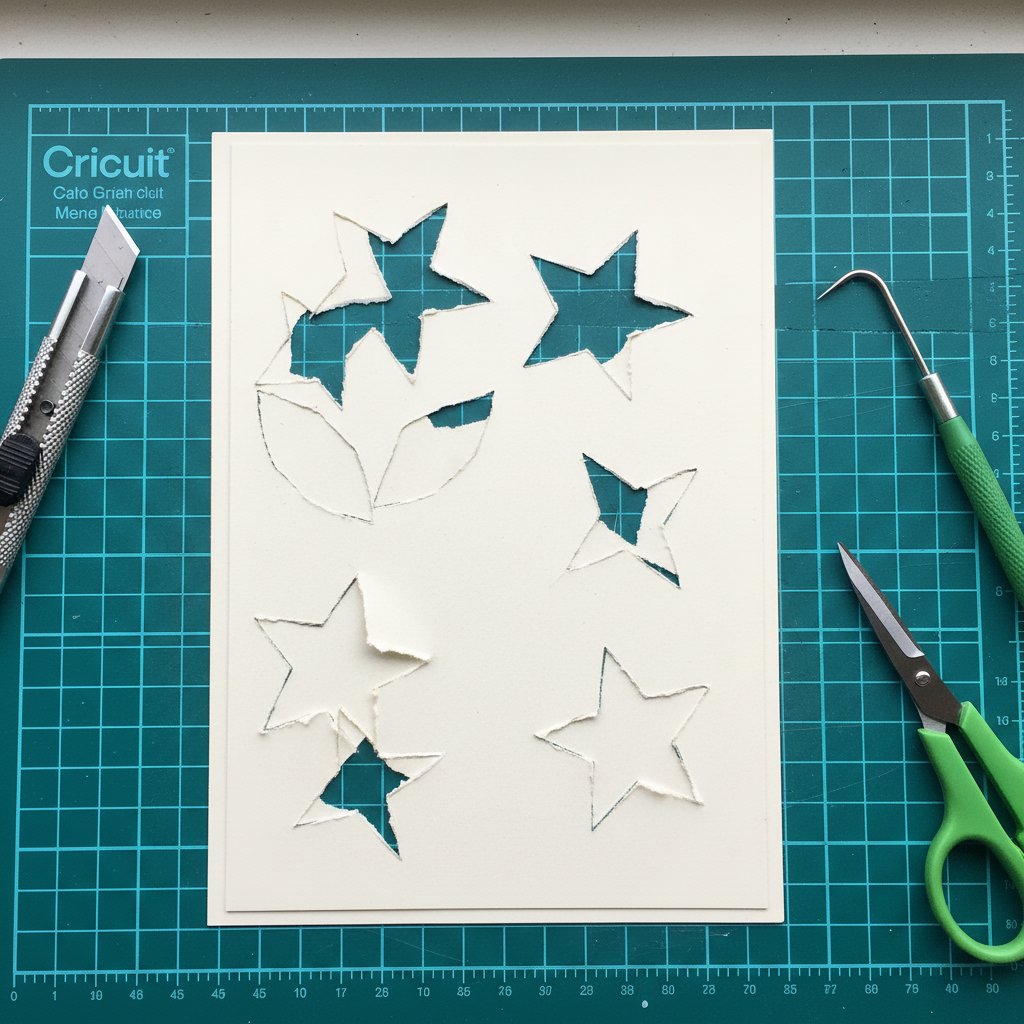
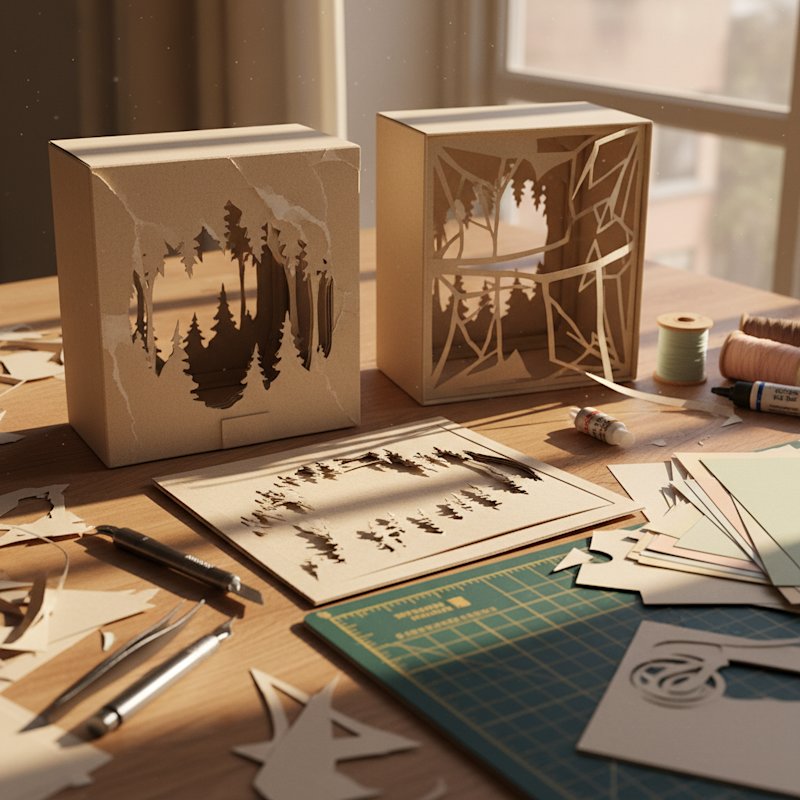
Close-up of paper cutting mistakes on cardstock showing torn edges and incomplete cuts from dull blade

Using Dull or Wrong Blades

One of the most common paper light box mistakes happens before you even start cutting. Using a dull blade or the wrong blade type creates ragged, torn edges that make your shadow box look unprofessional and can cause structural problems during assembly. Check out our assemble layered papercut shadow boxes for more details.

The problem: Dull blades require more pressure to cut through cardstock, which causes the paper to tear instead of cut cleanly. Blades that have been used for vinyl develop a sticky residue that pulls at paper fibers, creating fuzzy tears along cut lines. When you try to remove pieces that aren't completely cut through, you'll damage the delicate details in your design.

How to avoid it: Use a fresh or nearly-new Fine-Point Blade for Cricut machines or a clean AutoBlade for Silhouette machines when starting a shadow box project. If you've cut more than 5-10 projects with your current blade, replace it before starting multi-layer shadow boxes. Never use blades that have cut vinyl for paper projects, as the adhesive residue will ruin your cardstock.

Test first: Before cutting all your layers, run a test cut on scrap cardstock from the same package you'll use for your project. A proper cut should go completely through the paper with clean edges but shouldn't score your cutting mat. If you see fuzzy edges or incomplete cuts, replace your blade before proceeding.

Incorrect Cutting Mat Adhesion

Your cardstock must remain firmly attached to your cutting mat throughout the entire cutting process. When paper lifts or shifts during cutting, you'll get incomplete cuts, misaligned details, or torn edges.

The problem: If your mat is too sticky, you'll tear the paper when trying to remove it. If your mat isn't sticky enough, the cardstock will lift during cutting, causing the blade to miss sections or create jagged tears. Bumpy, dirty mats covered in paper debris from previous projects will cause miscuts and tears because the cardstock can't lie flat.

How to avoid it: Use a StandardGrip mat (green for Cricut) for 65-80 lb cardstock. Before placing cardstock on the mat, inspect the mat surface for debris, lint, or stuck paper pieces. Clean your mat with warm soapy water when it accumulates residue, then let it air dry completely before reuse.

Proper loading technique: Place your cardstock on the mat and use a brayer or scraper to press it down firmly, working from the center outward to eliminate air bubbles. Pay special attention to corners and edges, which tend to lift during cutting. Make sure there are no areas where the paper lifts off your mat before loading it into your machine.

Mat maintenance tip: After every 3-4 shadow box projects (or sooner if you notice reduced stickiness), clean your mat or use a restickable spray designed for cutting mats to restore proper adhesion.

Wrong Cutting Settings for Cardstock Weight

Choosing incorrect pressure, force, or speed settings is one of the most frustrating paper light box mistakes because it wastes expensive cardstock and time.

The problem: Settings that are too light leave paper still attached at critical points, requiring you to manually finish cuts with a craft knife (which rarely looks as clean as machine cuts). Settings that are too aggressive create overcut marks, drag lines, or torn edges around intricate details. Many beginners use the default "Cardstock" setting without realizing that different cardstock weights need different adjustments.

How to avoid it: For Cricut machines, start with "Medium Cardstock" for 65 lb cardstock or "Cardstock for Intricate Cuts" for detailed shadow box designs. For Silhouette machines, begin with blade depth 3-4, force 10-12, and speed 6-8 for standard 65-80 lb cardstock.

Critical rule: Never adjust multiple settings at once. If your test cut doesn't go completely through, increase pressure or force by one increment only, then test again. If you're getting torn edges, reduce speed slightly or decrease pressure.

The more intricate your designs become, the more likely small bits of paper will get stuck in your blade and cause tears. For highly detailed shadow box templates with tiny cutouts, use the slowest speed setting to give your blade time to navigate corners and curves without tearing.

Weeding Too Aggressively or Carelessly

Weeding (removing the cut-away pieces from your design) requires patience and precision. Rushing this step destroys hours of work in seconds.

The problem: Pulling out cut pieces too quickly tears the surrounding paper, especially around narrow connections and delicate details. Trying to remove pieces that aren't completely cut through rips the entire layer. Leaving small cut pieces in place because they're hard to remove creates shadowy spots that show when your shadow box is backlit.

How to avoid it: Use a weeding tool with a sharp, fine point to carefully pop out cut pieces. Start with the largest pieces and work toward smaller details. Support the surrounding paper with your finger while removing pieces near narrow joints where mistakes can happen most easily.

Work on a stable surface in good lighting so you can clearly see all cut lines. If a piece resists removal, it's not fully cut. Use a craft knife to gently finish the cut rather than forcing it out and tearing your layer.

For intricate areas: Go slowly and focus on accuracy. Some shadow box designs have extremely delicate details that require 5-10 minutes of careful weeding per layer. This isn't a step you can rush without consequences.

Not Doing Test Cuts Before Cutting All Layers

Skipping test cuts is perhaps the most expensive paper light box mistake beginners make.

The problem: You cut all 8-12 layers of your shadow box with incorrect settings, only to discover that every single layer has incomplete cuts, torn edges, or overcut marks. Now you've wasted $10-15 worth of cardstock and several hours of work.

How to avoid it: Always cut a test layer first using a piece of cardstock from the same package you'll use for your project. Different cardstock brands and even different color batches from the same brand can have slight thickness variations that affect cutting.

Choose the most intricate layer from your design for your test cut. If settings work well on the most detailed layer, they'll work on simpler layers. Examine your test cut carefully:

  • Are all cuts complete with no paper still attached?
  • Are edges clean without fuzzy tears?
  • Are there any drag marks or overcut lines?
  • Do small intricate pieces cut cleanly?

Only after a perfect test cut should you proceed to cutting all your layers. The 5-10 minutes spent on a test cut can save hours of frustration and wasted materials.

File Preparation and Design Mistakes

Importing Files at Wrong Sizes

Many shadow box templates import into Cricut Design Space or Silhouette Studio at sizes that don't match your frame dimensions. Failing to resize correctly before cutting leaves you with layers that don't fit your frame or that are misaligned with each other.

The problem: You cut all layers, then discover the design is too large for your 8x8 inch frame. Or worse, you resize layers individually or at different percentages, causing them to misalign during assembly with visible gaps and crooked edges.

How to avoid it: After importing your shadow box SVG, immediately check the design dimensions before cutting anything. Click on the entire design and look at the width and height measurements in your software.

Critical rule: Always resize all layers together at the same percentage. If you resize layers individually or at different ratios, they won't align correctly during assembly.

In Cricut Design Space: Select all layers (click and drag across the entire design or hold Shift and click each layer), make sure the lock icon showing width/height ratio is locked, then resize by dragging a corner handle or typing exact dimensions.

In Silhouette Studio: Select all layers (Ctrl+A or Cmd+A), make sure the lock icon in the Scale panel is locked, then enter your desired width or height.

Sizing tip: Leave at least 0.25-0.5 inches of clearance on all sides for your frame opening. Account for the mat (backing board) if your frame includes one. Test print one layer on regular paper first to verify sizing before cutting expensive cardstock.

Accidentally Changing Line Settings to Score or Draw

This mistake causes complete cutting failure and isn't always obvious until you load your mat into the machine.

The problem: You accidentally changed some or all cut lines to "Score" or "Draw" instead of "Cut." Your machine attempts to score or draw on your cardstock instead of cutting through it, resulting in marked but uncut paper.

How to avoid it: Before sending any layer to cut, verify that all lines are set to "Cut" in your software. In Cricut Design Space, check the Layers panel to confirm all elements show "Cut" as the line type. In Silhouette Studio, make sure the Cut Style panel shows "Cut" (not "Score" or "No Cut").

This is especially important if you've modified the design, ungrouped layers, or made any changes to the imported file. It's easy to accidentally change line types when adjusting designs.

Grouping or Ungrouping Layers Incorrectly

Shadow box SVG files are carefully organized with each layer as a separate group. Accidentally grouping multiple layers together or ungrouping elements within a single layer causes cutting and assembly problems.

The problem: You group Layers 1 and 2 together and cut them as one piece, losing the dimensional separation. Or you ungroup elements within a layer, causing pieces to resize independently and misalign.

How to avoid it: Understand your software's grouping system. In general, each shadow box layer should remain as one grouped element so all pieces in that layer stay together and aligned.

Before cutting each layer: Verify you've selected only the intended layer number, not multiple layers together. If you need to ungroup to access individual elements for color changes, regroup them before resizing or cutting.

Stay organized: Some shadow box templates include layer numbers as text elements. Don't accidentally group these number labels with the actual cutting layers, as this will affect sizing and placement.

Assembly and Alignment Mistakes

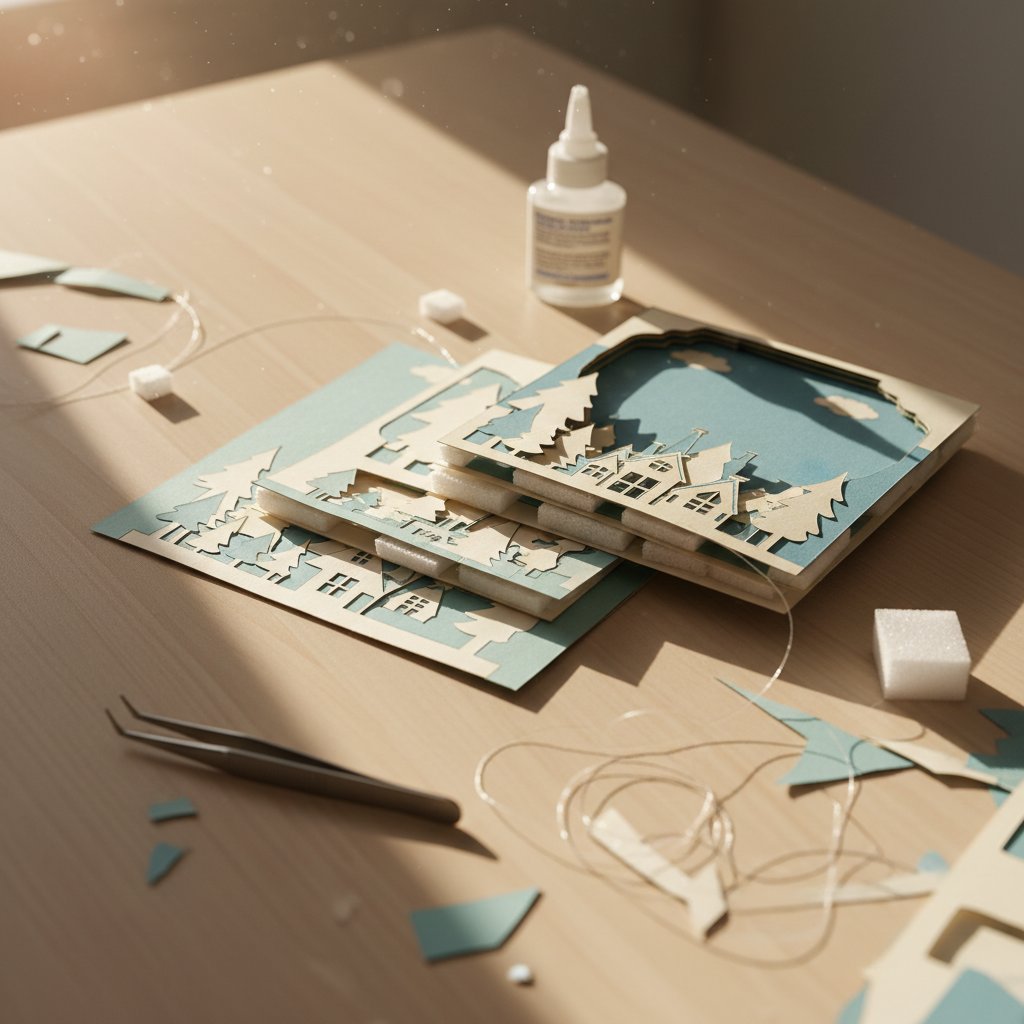
Overhead view of shadow box assembly showing misaligned paper layers and visible foam spacers

Placing Layers Out of Order

With 8-12 layers in a typical shadow box, it's surprisingly easy to assemble them in the wrong order, especially if you didn't label them during cutting.

The problem: You assemble your shadow box but realize the background tree layer is in front of the foreground deer layer, completely breaking the dimensional illusion. Fixing this requires disassembling the entire project, which often damages layers or spacers.

How to avoid it: Write the layer number lightly in pencil on the back of each layer immediately after cutting and weeding, in an area that won't show. Place completed layers in order in a folder or envelope.

Before adding any adhesive or spacers, dry-fit all layers by arranging them in order on a flat surface and looking through them as they'll appear in the frame. This verification step catches order errors before they become permanent.

Check the template instructions: Verify whether Layer 1 is the front (foreground) or back (background) of the design. Designers vary in their numbering conventions, so always check the included assembly guide.

Misaligned Layers Creating Visible Gaps

Layer misalignment is one of the most visible paper light box mistakes when your project is lit. Even small alignment errors become glaringly obvious when light shines through gaps.

The problem: You press layers together too quickly without checking alignment from multiple angles. Layers shift slightly during adhesive application. You don't use registration marks or design elements as alignment guides.

How to avoid it: Work slowly and deliberately during assembly. After positioning each new layer on the spacers, but before pressing down firmly, check alignment from multiple angles:

  • Look straight down from above to verify edges align
  • Look from the front to ensure design elements line up correctly
  • Hold the assembly up to light to spot any obvious misalignment

Use design elements as alignment guides. Many shadow box designs include edge alignment features or consistent elements across layers (tree trunks, building edges, frame borders) that should line up perfectly when layers are correctly positioned.

Use tweezers to micro-adjust layer position before pressing down firmly. Once you've pressed a layer onto spacers with strong adhesive, repositioning is difficult or impossible without damage.

If you catch misalignment immediately: Sometimes you can carefully separate layers and reposition (works better with foam spacers than liquid glue). For significant misalignment, it's often better to recut the problem layer than to accept a noticeably crooked assembly.

Using Insufficient or Incorrectly Placed Spacers

Foam spacers create the dimensional depth in shadow boxes, but using too few spacers or placing them poorly causes structural problems.

The problem: Layers sag, warp, or collapse over time due to insufficient support. The weight of upper layers causes middle layers to bow inward. Spacers show through cutouts when backlit, creating distracting white or colored spots in your illuminated design.

How to avoid it: Use 6-10 spacer pieces per layer join, more for larger designs (11x14 inch or bigger). Position spacers strategically:

  • In corners (but not so close to edges that they're visible from the front)
  • Along solid areas that won't be seen through cutouts
  • Distributed evenly to provide stable support
  • Never place spacers directly behind intricate cutouts where they'll be visible when lit

Before gluing: Hold layers up to light to verify spacer placement won't be visible through any cutouts. Adjust spacer positions as needed.

For long-term durability: Add small dots of liquid glue at stress points in addition to foam spacers. This prevents layers from separating over months or years of display.

Spacing consistency matters: Use spacers of the same thickness between all layers for even depth. Mixing 3mm and 5mm spacers randomly creates an uneven, unprofessional appearance.

Rushing Assembly Without Dry-Fitting

The temptation to rush through assembly after spending hours cutting layers is strong, but skipping the dry-fit verification causes easily preventable problems.

The problem: You discover errors (upside-down layers, wrong color placement, missed weeding, layer order mistakes) only after gluing layers together permanently. Fixing these issues requires disassembling the project and often results in damaged layers.

How to avoid it: Before adding any adhesive, arrange all layers in order on a flat surface. Verify:

  • All layers are right-side up
  • Colors are in the intended positions
  • Layer order creates the correct dimensional effect
  • No small cut pieces were left in that should have been removed
  • All layers are clean and free of fingerprints or debris

Stack them and look through: Hold the dry-fitted stack up to light or a window and look through it from the front. This preview shows you what the final lit shadow box will look like and often reveals issues you missed when viewing layers individually.

Staying organized is the most challenging part of 3D layered shadow boxes because one project can have several layers that look similar. Taking 5-10 minutes for proper dry-fitting prevents hours of rework.

Material Selection Errors

Using Wrong Cardstock Weight

Cardstock weight dramatically affects both cutting success and final appearance. Using paper that's too light or too heavy is a common paper light box mistakes that compromises results.

The problem: Lighter weight paper (20-24 lb regular paper) is too thin and see-through. It doesn't hold its shape when standing in layers, bends easily during assembly, and transmits so much light that individual layers don't create distinct depth. Colors appear washed out when backlit.

Heavier cardstock (above 80-90 lb) blocks too much light, making your backlit shadow box appear dim even with bright LEDs. It's also harder to cut cleanly, often requiring multiple passes or aggressive settings that can damage your machine or create torn edges.

How to avoid it: Use 65-80 lb (160-220 gram) cardstock specifically designed for paper crafts. This weight range provides the ideal balance: sturdy enough to maintain shape and create distinct layers, yet thin enough to allow beautiful light transmission.

Check cardstock specifications before purchasing. Some cardstock packages don't clearly state weight. If you're unsure, 65 lb cardstock is the most versatile weight for shadow boxes and works well for beginners.

Solid core matters: Choose solid core cardstock where the color goes completely through the paper. When your design has cutout edges, solid core cardstock ensures those edges match the paper surface color instead of showing a white core.

Buying Insufficient Cardstock

Running out of cardstock mid-project or discovering you don't have enough for test cuts causes frustrating delays and can result in color inconsistencies if you have to buy from a different lot.

The problem: Your shadow box template has 8 layers, so you buy exactly 8 sheets of cardstock. Then your test cut reveals incorrect settings and you waste a sheet. You make a cutting mistake on Layer 5 and need to recut it, but you're out of that color. Now you have to make a special trip to the craft store, and the new package might not match your original cardstock exactly.

How to avoid it: Purchase at least 2-3 extra sheets beyond your layer count when buying cardstock for shadow box projects. This accounts for:

  • Test cuts (1-2 sheets minimum)
  • Potential cutting mistakes or setting adjustments
  • Assembly errors requiring layer remakes
  • Future projects using the same color palette

Buy all cardstock before starting: Purchase all colors you need in one shopping trip. Keep cardstock from the same brand and lot number together for consistent color and texture.

For larger projects (12+ layers) or complex designs with many intricate details, buy 4-5 extra sheets. The cost of a few extra sheets is minimal compared to the frustration of running out mid-project.

Choosing Frames with Insufficient Depth

Frame depth must accommodate your entire layer stack plus lighting. Choosing frames that are too shallow is a project-ending mistake that isn't fixable.

The problem: You assemble 10 layers with 5mm spacers, requiring at least 50mm (2 inches) of depth, but your frame is only 30mm deep. The assembled layers don't fit in the frame. You try to force them in and crush your carefully spaced layers, destroying the dimensional effect. Or worse, the frame backing won't close, leaving your project unable to be framed.

How to avoid it: Calculate required depth before purchasing frames:

(Number of layers - 1) × Spacer thickness + Paper thickness + Light depth + Safety margin

Example for 8-layer project with 5mm spacers:

(8 - 1) × 5mm + 2mm paper + 5mm lights + 10mm safety margin = 52mm (approximately 2 inches)

Choose frames with 7-8cm (2.75-3 inch) depth for typical 8-12 layer shadow boxes using 5mm spacers. This provides adequate space with room for adjustment.

Common frame sizes that work well: 8x8 inches, 8x10 inches, 11x14 inches, 12x12 inches. Look specifically for "box frames" or "shadow box frames", not regular photo frames which are too shallow.

Purchase frames early: Get your frame before cutting layers so you can test fit and adjust if needed. Some crafters even assemble their shadow box inside the frame during assembly to ensure proper fit.

Lighting and Display Problems

Using Inadequate or Overly Bright Lights

Lighting makes or breaks your shadow box's visual impact. Wrong lighting choices create disappointing results after hours of careful work.

The problem: Not all LED lights are created equal. Some LED strips are just not bright enough to illuminate shadow boxes effectively, leaving your project looking dim and disappointing. Others are too bright and create harsh hotspots that wash out delicate details. Lights positioned poorly create uneven illumination with dark corners and bright centers.

How to avoid it: Choose battery-operated RGB LED strip lights specifically designed for craft projects. Look for these features:

  • Dimmable via remote control (essential for adjusting brightness to optimal levels)
  • Color changing capability (even if you primarily use white, color options allow creative effects)
  • At least 6-15 feet length (you'll cut to size for your frame)
  • Strong adhesive backing designed for long-term hold
  • Cool or warm white options depending on your preference

Test before installation: Before installing lights in your frame, test the LED strip outside the frame. Make sure the remote control works, colors change correctly, and brightness adjusts through a useful range.

For even illumination: Adhere LED strips around the inside perimeter of your frame backing, approximately 0.5-1 inch from edges. This creates even edge lighting that illuminates the entire paper stack without hotspots. Avoid placing lights directly behind a single point, which creates bright spots and shadows.

Installing Lights Where They Show Through Cutouts

Visible LED strips or battery packs showing through your design's cutouts completely breaks the illusion and looks unprofessional.

The problem: You install LED strips across the back panel without considering where your design's cutouts are located. When lit, viewers can see the actual LED lights through openings in your design instead of just seeing the glowing paper effect.

How to avoid it: Before installing lights, study your assembled shadow box to understand where cutouts are positioned. Hold it up to a window or light to see exactly where openings exist in your design.

Position lights strategically: Place LED strips around the perimeter where they'll illuminate from the edges, or create a grid pattern that avoids direct visibility through cutouts. For designs with large central cutouts, perimeter lighting works best.

Hide battery packs: Position battery packs either behind the backing board (in the space between the backing and the wall when hung) or in a discrete location that isn't visible through cutouts. Some crafters cut small notches in frame backing to allow access to power switches without removing the backing.

Placing Shadow Boxes in Direct Sunlight

Display location significantly affects longevity and appearance of your shadow box.

The problem: You hang your beautiful shadow box in a sunny window or on a wall that receives direct afternoon sunlight. Over weeks and months, the cardstock colors fade unevenly, with bright white areas turning yellowish and colored cardstock losing vibrancy. UV damage is permanent and irreversible.

How to avoid it: Display shadow boxes away from direct sunlight. Choose wall locations, shelves, or mantel spaces that receive indirect light or minimal sun exposure. North-facing walls (in the Northern Hemisphere) typically receive the least direct sunlight.

For high-value or sentimental shadow boxes: Consider frames with UV-protective glass or acrylic, which filters harmful ultraviolet light that causes fading. This is especially important for shadow boxes displayed in rooms with large windows.

Ideal display locations:

  • Shelves with backing walls (the background wall helps reflect LED light forward)
  • Mantels as focal points for seasonal designs
  • Gallery walls with multiple shadow boxes in coordinating themes
  • Hallways and bedrooms where they can be enjoyed without sun exposure

Keep shadow boxes out of damp areas like bathrooms or kitchens where humidity can warp paper over time. Room temperature, moderate humidity environments preserve shadow boxes for years.

Prevention Through Planning

The most effective way to avoid paper light box mistakes is thorough planning before starting any cutting or assembly.

Create a Pre-Project Checklist

Before beginning your shadow box, verify you have:

  • Correct cardstock: Right weight (65-80 lb), enough sheets (layer count + 3), solid core
  • Appropriate frame: Sufficient depth (7-8cm minimum), correct size, removable backing
  • Quality tools: Fresh blade, clean mat, weeding tool, spatula
  • Proper spacers: 5mm foam tape or foam board, enough for 6-10 pieces per layer join
  • Suitable lighting: Dimmable LED strip, remote control, correct length
  • Test materials: Scrap cardstock for test cuts
  • Assembly supplies: Liquid glue for details, scissors for foam, ruler, pencil

Having everything ready prevents mid-project frustrations and ensures you can complete your shadow box in one uninterrupted session.

Study Template Instructions Thoroughly

Professional shadow box SVG templates include assembly guides for a reason. Reading these instructions before starting prevents countless mistakes.

Review the assembly guide to understand:

  • Layer numbering system (is Layer 1 front or back?)
  • Recommended frame size and depth
  • Suggested cardstock colors and weights
  • Specific assembly tips for that design
  • Photos showing correct layer order and alignment

Many frustrating problems come from skipping template instructions and making assumptions about how layers should be assembled.

Join the Community for Support

Connect with experienced shadow box creators who can help you troubleshoot problems:

  • Facebook groups: Search for "Cricut shadow box," "3D paper crafts," or "paper cut light boxes"
  • Instagram hashtags: Follow #cricutshadowbox, #papercutlightbox, #layeredpapershadowbox
  • YouTube tutorials: Subscribe to channels specializing in Cricut/Silhouette paper crafts

When you encounter a problem, these communities often have members who've faced and solved the same issue. Post photos of your problem and you'll typically receive helpful advice within hours.

Conclusion

Understanding and avoiding common paper light box mistakes transforms the shadow box creation process from frustrating to enjoyable. While every crafter makes mistakes, knowing what problems to watch for at each stage from cutting through assembly to display helps you troubleshoot quickly and achieve professional results.

Remember that even experienced shadow box makers occasionally tear a layer, misalign pieces, or discover their frame is too shallow. These mistakes are part of the learning process. The key is learning from each error and applying those lessons to your next project.

Start with beginner-friendly designs, use quality materials, follow template instructions carefully, and don't rush the assembly process. When you do encounter problems, consult community resources and expert tutorials for guidance. With each shadow box you create, you'll develop better instincts for prevention and faster troubleshooting skills.

The stunning illuminated art you create is worth working through the challenges. Every mistake teaches you something that makes your next shadow box even better.


Sources: