Articles23 min read

Color Theory for Layered Paper Art: Creating Depth and Impact

A practical color theory for layered paper art guide — covering dark-to-light progressions, LED temperature pairing, paper translucency effects, and a 7-step color selection workflow I developed after testing dozens of layered shadow box designs.

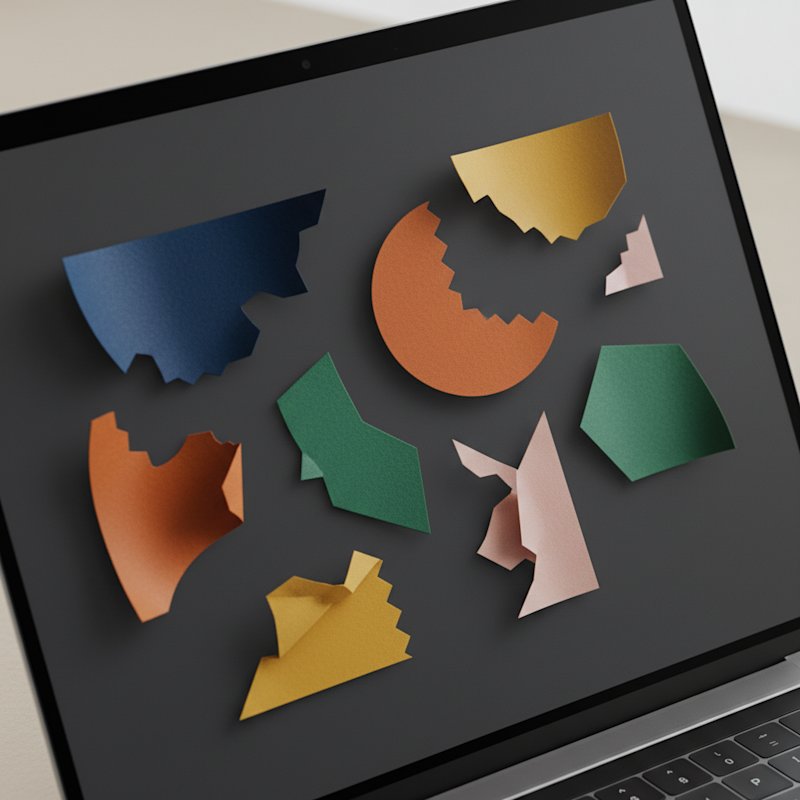
A laptop screen showing several colorful abstract paper-craft layer shapes pulled apart and separated across a dark workspace

Color is the single most powerful tool you have for creating depth in layered paper art. Two identical shadow box designs — same number of layers, same cutting precision, same frame — can look completely different based solely on color choices. One pops with dramatic three-dimensional depth. The other falls flat, every layer blending into the next.

I learned this the hard way on my fifth shadow box project. After spending four hours cutting a seven-layer botanical design, I assembled it with a random assortment of green cardstock from my scrap bin. The result was a muddy blob where individual layers disappeared. I recut the same design a week later with a deliberate dark-to-light green progression — forest, pine, sage, mint, seafoam — and the difference was stunning. That piece sold at a local craft fair within an hour.

This guide covers color theory for layered paper art from the ground up: how color creates depth, which schemes work for different design types, how LED light temperature changes your paper colors, and the practical workflow I now use for every project. Whether you are building your first three-layer shadow box or a complex twelve-layer backlit piece, the principles here will make your work more visually impactful.

For a botanical-specific take on color in paper art, see our botanical tree paper cut light box designs.

Color Fundamentals: What Every Paper Artist Needs to Know

Before diving into layered-specific strategies, let me cover the color basics that matter most for paper art. I am skipping the academic color theory and focusing on what actually affects your finished pieces.

Hue, saturation, and value are the three properties of every color. Hue is the color name — red, blue, green. Saturation is intensity — vivid vs muted. Value is lightness or darkness — how close to white or black. Of these three, value is by far the most important for layered paper art. Value differences between layers create the illusion of depth. Saturation creates focal points. Hue sets the mood.

Warm colors — reds, oranges, yellows — advance visually, appearing to come toward the viewer. Cool colors — blues, greens, purples — recede, appearing to move away. In layered paper art, this means warm front layers and cool back layers naturally enhance depth, even when the physical layer spacing is only a few millimeters.

Paper transparency is a property unique to paper art that painters and digital artists never think about. Cardstock lets light through. The amount depends on weight and color. A 65 lb dark navy sheet transmits very little light. A 65 lb white sheet transmits surprisingly much. When you place LED lights behind a layered piece, this translucency becomes part of your color palette. Dark layers become silhouette elements. Light layers become glowing elements. This interaction between paper color and transmitted light is what makes layered paper art so distinctive.

Practical constraint: Paper colors come in whatever the manufacturer offers. Unlike paint mixing, you cannot create any color you want. You work with available cardstock colors. Building a library of 30 to 40 colors across multiple value ranges gives you enough options for most designs. I keep mine organized by hue family in a filing box, with each family spanning from dark to light values.

For paper-specific guidance, see our best cardstock for shadow boxes guide.

Creating Depth Through Color Progression

This is the core principle of color theory for layered paper art: darker colors recede, lighter colors advance. Place your darkest paper in the back layer and your lightest in the front layer, and the viewer's eye interprets this as three-dimensional depth. It mimics atmospheric perspective — the same effect that makes distant mountains look paler and bluer than nearby trees.

The three-layer gradient rule. For a basic three-layer design, you need three distinct values: dark, medium, and light. The value jump between adjacent layers should be clearly visible when you hold the papers side by side under normal room lighting. If you have to squint to tell two layers apart, your depth will suffer.

Monochromatic depth uses a single hue across multiple values. Five to seven values of green, from dark forest to pale mint, create sophisticated depth without color complexity. This is the safest approach for beginners and the most elegant for experienced artists.

Analogous depth uses neighboring hues on the color wheel — green, blue-green, and teal, for example. The slight hue shift adds visual interest while maintaining harmony. Value progression still drives the depth; the hue variation is a bonus.

Value-based progression ignores hue entirely. If your back layer is dark purple, your middle layer is medium blue, and your front layer is pale green, the depth works because the value progression is correct — dark to light. This is how you can use wildly different colors while maintaining visual depth.

Reverse depth breaks the standard rule deliberately. Placing light colors behind dark colors creates an inverted, surreal effect. This works for abstract designs, fantasy themes, or underwater scenes where you want to subvert viewer expectations. Use it sparingly — it is a statement, not a default.

Design-type examples. Botanical designs benefit most from monochromatic green progressions. Geometric designs handle complementary schemes well because clean lines tolerate color tension. Portrait designs need subtle value shifts in skin-tone ranges. Landscape designs use aerial perspective — bluer and paler in the distance, warmer and more saturated in the foreground.

For more on design types and templates, see our papercut SVG guide.

Monochromatic Schemes: Single Hue, Maximum Depth

Monochromatic color schemes are the bread and butter of layered paper art. Using one hue across five or more values creates reliable, sophisticated depth with minimal color decision fatigue. If you are unsure where to start with any design, go monochromatic.

Why monochromatic works so well. With only one hue in play, value contrast does all the heavy lifting for depth. The viewer's eye reads the dark-to-light progression as spatial depth without the distraction of competing hues. The result feels cohesive and intentional — every layer belongs to the same color family.

Building a monochromatic progression. Start with the darkest value of your chosen hue that you can find in cardstock. Then find the lightest. Those are your back and front layers. Fill the middle with as many intermediate values as you can find. Five values is a solid minimum for a five-layer design. Seven values creates smooth, gradient-like transitions.

Monochromatic botanical. Greens from dark forest through pine, sage, mint, to seafoam. This is the most popular monochromatic scheme in shadow box art because it mirrors natural foliage depth. Back layers read as shadow under tree canopy. Front layers read as sunlit new growth.

Monochromatic geometric. Blues from navy through royal, medium, sky, to ice blue. The coolness of blue enhances the modern, clean feel of geometric designs. High contrast between the darkest and lightest values keeps sharp geometric lines crisp and readable.

Adding one accent. A single element in a contrasting color — a red flower center in an all-green botanical, a gold star in an all-blue nightscape — creates a focal point that draws the eye. Use accents sparingly. One per design is usually enough. The accent should appear on the front one or two layers where it has maximum visual impact.

Monochromatic with LED backlighting. Pair cool-hued monochromatic schemes with warm white LEDs for a gentle warmth that softens the coolness. Pair warm schemes with daylight LEDs for accurate color rendering. Test before committing — LED color temperature can shift the apparent value of your papers by half a step.

Analogous Color Schemes: Harmonious Natural Depth

Analogous colors sit next to each other on the color wheel. Green, blue-green, and teal. Orange, red-orange, and red. Because these colors share underlying pigments, they harmonize naturally — no jarring contrast, no visual tension. Analogous schemes are the second most popular approach in layered paper art after monochromatic.

Three-color analogous sets work best for layered designs. Choose three neighboring hues, then find three to five values within each hue. This gives you nine to fifteen color options while maintaining harmony. Assign values to layers based on the dark-to-light rule, not hue. A dark teal can sit behind a medium green, which sits behind a light blue-green.

Analogous botanical: green-blue-teal. This is the classic nature palette. Back layers in dark teal, middle layers in blue-green and green, front layers in light sage or mint. The blue undertones in the back layers create cool shadows, while the green front layers feel warm and alive. It reads as lush foliage in filtered light.

Analogous sunset: orange-red-yellow. Warm analogous schemes create inviting, ambient pieces. Back layers in deep burgundy or dark red, middle layers in orange and amber, front layers in gold and pale yellow. With warm white LED backlighting, these pieces glow like actual sunset light filtering through paper. They work beautifully as statement pieces in living rooms and entryways.

Analogous ocean: blue-teal-purple. Cool analogous schemes create calm, meditative pieces. Dark purple back layers, teal and blue middle layers, ice blue or lavender front layers. These feel aquatic and ethereal. They are particularly effective in bedrooms and bathrooms where a calming atmosphere matters.

Layering priority: value over hue. In analogous schemes, it is tempting to assign one hue per layer — all the blue in back, all the green in middle, all the teal in front. This can work, but only if the values also progress dark to light. If your blue is lighter than your green, the depth breaks. Always check value progression first, hue assignment second.

For more color application in specific design contexts, see our paper flower wall art guide.

Complementary Schemes: Bold Contrast and Drama

Complementary colors sit opposite each other on the color wheel. Blue and orange. Red and green. Purple and yellow. These pairings create maximum visual contrast and energy. They are bold, attention-grabbing, and harder to pull off than monochromatic or analogous schemes — but when they work, they are spectacular.

Why complementary creates drama. The human eye perceives complementary colors as vibrating against each other. This visual tension creates energy and draws attention. In a room full of decor, a complementary-colored layered piece will be the first thing people notice.

Two-color complementary sets. The simplest approach: pick two complementary hues, then find three to four values of each. Assign the darker values to back layers and lighter values to front layers, regardless of hue. A blue-orange piece might go dark blue back, medium orange, light blue, pale orange front. The alternation of hue adds energy while the value progression maintains depth.

Complementary depth trick. Use a darker value of one complementary color and a lighter value of the other. Dark navy back with pale orange front creates strong depth AND strong color contrast simultaneously. This is the sweet spot for complementary layered art.

Taming complementary with neutrals. Pure complementary schemes can feel overwhelming in home decor settings. Add neutral layers — white, cream, gray, or black — between your complementary colors. These neutral buffers give the eye a rest and make the piece feel more sophisticated. Black layers in particular create dramatic silhouette effects with complementary accents.

When to use complementary schemes. These work best for statement pieces, modern spaces, and designs where you want maximum visual impact. They are less suited for calming spaces like bedrooms or for designs meant to blend into existing decor. If a client asks for "something that really pops," complementary is usually the answer.

Practical tip. Test complementary schemes at 50% saturation before going full intensity. Muted versions of complementary colors — dusty blue and burnt orange, sage green and burgundy — work better in most home environments than their vivid counterparts.

Color Selection by Design Type

Different design types have different color requirements. A color scheme that works beautifully for a botanical shadow box can look wrong for a geometric design. Here is how to approach color for the major design categories.

Botanical designs. Realistic color is the starting point — multiple greens for foliage, accurate flower colors, brown tones for branches and soil. But you can push botanical colors into stylized territory. Monochromatic green botanicals are timeless. Complementary green-red botanicals (poinsettia designs, berry branches) create holiday warmth. Analogous green-teal-blue botanicals feel contemporary and cool.

Geometric designs. Clean geometric shapes handle high contrast well. Monochromatic blue or gray geometric designs feel modern and architectural. Complementary schemes make geometric shapes pop with energy. Avoid too many hues in geometric work — the shapes are already complex. Two to three hues maximum, spread across values.

Portrait and figure designs. These require subtle value control in skin-tone, hair, and clothing ranges. Monochromatic sepia or grayscale portrait designs are popular because they avoid the challenge of accurate skin tones while creating dramatic depth. If you use color, keep it muted and value-focused.

Landscape designs. Aerial perspective is your guide. Distant elements are paler, bluer, and less saturated. Foreground elements are warmer, more saturated, and higher contrast. This natural progression of color with distance is the oldest depth cue in visual art, and it works perfectly in layered paper.

Typography and lettering. Readability is paramount. The text layer needs high value contrast against the layer behind it. White text on a dark back layer, or dark text on a light back layer. Decorative elements around the text can use any scheme, but the letters themselves must be legible from the intended viewing distance.

Seasonal themes. Holiday palettes are culturally established — red and green for Christmas, orange and black for Halloween, pastels for Easter. You can follow these conventions or subvert them. A monochromatic white-and-silver Christmas piece feels elegant and modern. A non-traditional color choice can make a seasonal piece feel fresh.

Ready-made shadow box templates with color recommendations
Skip the design phase and start with proven shadow box SVG templates. Each template includes suggested color progressions for the layered design — tested combinations that create maximum depth. Browse floral, nature, and geometric templates ready for your Cricut or Silhouette.

LED Light Temperature and Paper Color Interaction

If your layered paper art includes LED backlighting, the light temperature is as important as the paper colors. LEDs shift the apparent color of your paper, sometimes dramatically. Understanding this interaction prevents disappointing results where the colors you carefully selected under your desk lamp look completely different when the LEDs switch on.

Warm white LED (2700K). This temperature has a yellow-amber cast. It warms up cool papers — blues look slightly teal, whites look cream, greens look slightly yellow-green. It flatters warm papers — ambers glow, golds shine, creams look rich. Pair warm white LEDs with warm-toned or neutral paper palettes. Avoid them with cool schemes where you want accurate blue and purple rendering.

Cool white LED (4000K). This is neutral to slightly cool. It renders colors more accurately than warm white while still feeling natural. Cool white works with most paper palettes — warm, neutral, and cool. It is the safest default if you are unsure which temperature to choose. Blues stay blue. Greens stay green. Reds stay red with minimal shift.

Daylight LED (5000K+). This is the most accurate color rendering temperature. Colors look as close to daylight as LED technology allows. Use daylight LEDs for botanical designs where precise green and flower color rendering matters, and for any piece where color accuracy is a priority. The trade-off is that daylight LEDs can feel clinical in warm home environments — they read as "bright" rather than "cozy."

How LEDs alter perceived color. Hold a piece of medium blue cardstock under warm white LED and it shifts toward teal. Hold the same paper under cool white and it shifts toward pure blue. This shift is subtle for mid-value papers but pronounced for light values and pastels. Always test your paper under the actual LED you plan to use before final assembly.

Backlight vs frontlight. Backlit pieces — where the LED sits behind all layers — transmit light through the paper. Paper translucency becomes part of the effect. Frontlit pieces — where the LED illuminates from the front — show paper color as-is. The same paper can look significantly different depending on lighting direction. Decide your lighting approach before choosing colors.

Color-safe LEDs. Quality LEDs emit negligible UV, making them safe for paper art longevity. Cheap incandescent bulbs emit more UV and heat, both of which accelerate fading. If longevity matters, stick with LEDs.

For detailed LED installation guidance, see our 25 layered paper projects with Cricut guide.

Paper Translucency and Color Transmission

Paper is not opaque — and in layered paper art, that is a feature, not a bug. The way different papers transmit light affects how your colors read in the finished piece, especially when backlit with LEDs. Understanding translucency helps you choose papers that enhance your color scheme rather than undermine it.

Cardstock weight and opacity. Heavier papers block more light. A 100 lb dark navy sheet is nearly opaque even under direct LED backlighting. A 65 lb white sheet transmits enough light to glow softly. In practice, this means your back layers — the darkest — act as light blockers, while your front layers — the lightest — act as light diffusers. This natural progression of translucency mirrors your value progression and reinforces the depth effect.

Light-blocking layers. Your back layer, or a dedicated backing layer behind it, should be as opaque as possible. Use 100 lb or heavier cardstock in black or your darkest color. Any light leaking through the back layer reduces contrast for every layer in front of it. I use 110 lb black cardstock as a dedicated light-blocking layer in all my backlit pieces.

Translucent effects. Deliberately using lighter-weight, more translucent papers for specific layers creates beautiful effects. A 65 lb pale gold layer in the middle of a design glows when backlit, creating a warm light source effect within the piece itself. This works especially well for moon, sun, and fire elements in landscape designs.

Paper grain and light. Paper has a grain direction from the manufacturing process. Light transmits slightly differently along the grain vs across it. In practice, this matters only for very thin papers in large, flat areas. For most shadow box work at 8x10 to 16x20, grain direction is not a significant factor.

Testing translucency. Before committing to papers for a backlit piece, hold each one up to your actual LED strip at the distance it will be in the finished piece. Check: does the paper block light completely (good for back layers), transmit light evenly (good for glowing middle layers), or transmit light unevenly with visible fiber patterns (avoid for visible areas)? This 30-second test saves hours of disappointment.

When translucency muddies colors. If a middle layer is too translucent, light from the back passes through it AND the front layers. The colors mix additively, and you get a muddy, desaturated result. The fix: increase the weight of the middle layer, or add a second layer of the same color to increase opacity. Two layers of 65 lb paper block approximately as much light as one layer of 100 lb.

Background and Backboard Color Strategies

The backboard is the canvas behind all your layers. Its color affects how every layer reads — sometimes more than you expect. Choosing the right backboard color is a strategic decision that should be made alongside your layer color selection, not as an afterthought.

Black backboard. Maximum contrast, maximum drama. Dark paper layers blend into the black background, making them recede even further. Light paper layers pop dramatically against the dark field. This is the most popular backboard choice for shadow box art because it enhances the dark-to-light depth progression. If in doubt, go black.

White backboard. Clean, bright, and modern. All layers read clearly against white. Dark layers pop dramatically, light layers can look washed out. White backboards work best with high-contrast designs where you want a crisp, graphic quality. They also work well for designs with many thin cutout elements where the backboard shows through extensively.

Colored backboard. A backboard in a coordinating color extends your palette. A deep green backboard behind a forest-themed piece creates a natural shadow effect. A navy backboard behind an ocean piece adds depth. Choose a backboard color that is one value darker than your darkest layer to maintain the depth progression.

Gradient backboard. For advanced work, paint a gradient on the backboard — dark at the bottom, lighter at the top, for example. This creates a secondary depth cue that enhances the layered depth. It is particularly effective for landscape designs where you want to suggest sky-to-ground light variation.

No backboard. Open-back designs let the wall color show through as the effective backboard. This works well on white or light walls where the wall color is a neutral backdrop. On colored or textured walls, the result can be unpredictable. Test by holding your layers against the actual wall before committing.

Backboard material. 110 lb black cardstock is the standard. Foam core board provides more rigidity for large pieces. Painted wood panels create a premium feel. Whatever material you choose, ensure it is flat, smooth, and light-blocking. Any texture or waviness in the backboard shows through your cutout areas.

Color Contrast in Layered Paper Art

Contrast is what makes individual layers visible. Without sufficient contrast between adjacent layers, they blend together and depth is lost. Managing contrast is about balance — enough to see each layer clearly, not so much that the piece feels harsh.

Value contrast is the most important type. Adjacent layers need a visible value difference. A good test: photograph your assembled piece in black and white. If layers are clearly distinguishable in the black-and-white photo, your value contrast is sufficient. If layers merge together, increase the value difference between them.

Hue contrast adds energy. Adjacent layers with different hues create more visual interest than adjacent layers of the same hue, even at the same value. A medium green layer next to a medium blue layer reads differently than two medium green layers. In monochromatic schemes, you sacrifice hue contrast for cohesion. In complementary schemes, you maximize it for drama.

Saturation contrast creates focal points. A single highly saturated layer among muted layers draws the eye immediately. Use this to highlight a key element — the center flower in a botanical, the main geometric shape, the focal point of a landscape. One saturated layer in a five-layer design is usually enough.

Minimum contrast for readability. From a typical viewing distance of three to five feet, adjacent layers need at least a 15 to 20 percent value difference to be clearly distinguishable. Less than that and layers merge. More than that and each layer reads as a distinct band. The 15 to 20 percent range creates smooth, natural depth.

Low-contrast schemes. Monochromatic designs with closely spaced values create a subtle, minimalist effect. Layers are barely distinguishable, creating a whispered depth rather than a shouted one. This works in serene, modern interiors but reads as "flat" in high-energy environments. Know your context.

High-contrast schemes. Maximum value difference between adjacent layers creates bold, dramatic depth. Black to white with no middle values is the extreme. Each layer reads as a separate, distinct plane. This works for graphic designs, silhouette-heavy pieces, and statement art. It can feel harsh in soft, warm interiors.

Balancing contrast. The most visually pleasing layered pieces use moderate contrast in most layer transitions with one or two higher-contrast jumps for emphasis. The contrast variation creates rhythm — a visual beat that keeps the eye engaged without fatigue.

Color Durability: Fading and UV Concerns

Paper art is vulnerable to UV light. Colors fade — some faster than others. If you are selling layered paper art or creating pieces for long-term display, understanding fading risks helps you choose papers that age gracefully and advise customers on care.

Which colors fade fastest. Red and magenta pigments are the most vulnerable, often showing noticeable fading within one to two years of direct sunlight exposure. Purple and bright yellow fade moderately. Blues and greens are the most colorfast — they can go five to ten years with minimal visible change under the same conditions. Black and white papers are extremely stable.

Archival paper options. Acid-free, lignin-free cardstock is the baseline for longevity. Papers marketed as "archival quality" or "fade-resistant" use more stable pigments. They cost more but significantly extend the life of your art. For pieces priced above $50, I always use archival cardstock. For lower-priced or seasonal pieces, standard cardstock is acceptable.

LED vs incandescent. LEDs emit negligible UV radiation, making them safe for paper art. Incandescent and halogen bulbs emit more UV and significantly more heat, both of which accelerate fading. If your piece uses integrated lighting, LEDs are the only responsible choice for longevity.

Framing for protection. UV-filtering glass or acrylic adds a layer of defense against ambient UV from windows and room lighting. It is not perfect — some UV still penetrates — but it reduces the rate of fading by approximately 50 percent. For valuable pieces, UV glass is worth the additional cost.

Location matters. A piece on a north-facing wall with no direct sunlight will fade far less than the same piece on a south-facing wall that gets afternoon sun. Advise buyers to avoid direct sunlight and heat sources. A simple "display away from direct sunlight" note with each piece manages expectations.

Rotating displays. For your own collection, rotating pieces every three to six months extends display life. Store rotated pieces in acid-free sleeves in a dark, dry location. This also lets you refresh your decor seasonally.

For comprehensive preservation guidance, see our how to preserve paper art from fading guide.

Layered paper art templates — color-tested and ready to cut
Each shadow box SVG template has been tested with recommended color progressions that create maximum visual depth. From hydrangea florals to geometric mandalas, find designs with built-in color guidance. Download, choose your papers, and start building depth today.

Color Mistakes and How to Fix Them

Even experienced paper artists make color mistakes. The good news is that most common problems have straightforward fixes. Here are the issues I see most often, both in my own early work and in pieces other artists share with me.

Colors do not pop. The most common issue. Usually caused by insufficient value contrast between adjacent layers. Fix: replace the back layer with a darker value, or the front layer with a lighter value. If the entire piece feels muted, increase the value range — make your darkest layer darker and your lightest layer lighter. A piece with values from 30 percent to 70 percent gray will always look flatter than one spanning 10 percent to 90 percent.

Too many colors. When you use five or more different hues in a single design, they compete for attention and the result feels chaotic. Fix: identify the one or two hues that carry the design, then convert the rest to values of those hues or to neutrals. A six-color botanical becomes a three-green monochromatic scheme with one flower accent color.

Colors look muddy. Overlapping translucent layers in conflicting hues create muddy brown or gray when backlit. Fix: increase paper weight for the muddy layers to reduce translucency, or separate the conflicting hues with a neutral layer. White or cream between two clashing colors prevents the muddy mixture.

Depth is not visible. If the piece looks flat despite correct layer spacing, the value progression is too narrow. Fix: expand the value range. Replace your darkest layer with something darker and your lightest with something lighter. Add one or two intermediate values to smooth the transition. The wider the value range, the more dramatic the depth.

LED washes out colors. Backlighting that is too bright bleaches color from translucent layers. Fix: reduce LED brightness with a dimmer, increase paper weight to reduce translucency, or switch to a warmer LED temperature that does not desaturate colors as severely. Adding a light-blocking backing layer also helps by preventing light from passing through the entire stack.

Colors do not match the room. If a finished piece clashes with its intended display space, you have two options. Adjust the art: replace the outermost layers with colors that complement the room. Or adjust the frame: a dark frame isolates the art from the wall color, creating a visual boundary that makes most color combinations acceptable.

Test swatches prevent all of these. Cut small squares of each paper color, layer them with foam tape in the planned order, and hold the stack under your planned lighting. Every mistake I listed above is visible in a five-minute swatch test. Fixing a swatch takes seconds. Fixing a finished piece takes hours.

Practical Color Selection Workflow

After dozens of layered paper art projects, I have settled on a seven-step color selection process that eliminates most surprises. This workflow takes about fifteen minutes for a standard five-layer design and saves hours of rework.

Step 1 — Analyze the design type. Identify whether you are working with botanical, geometric, portrait, landscape, or typography. This determines your color scheme family. Botanical leans green-dominant. Geometric tolerates bold complementary. Portrait needs value subtlety. Landscape uses aerial perspective. Typography prioritizes readability.

Step 2 — Choose a color scheme type. Decide between monochromatic, analogous, or complementary. For your first few projects, stick with monochromatic — it is the most forgiving. As you gain confidence, explore analogous for natural themes and complementary for statement pieces.

Step 3 — Select five to seven values. Pull every cardstock sheet you own in your chosen hue or hues. Lay them out from darkest to lightest. Select five to seven that span the full range with even spacing between each step. If you have gaps — no paper between dark forest and medium green — make a note to buy intermediate values for your next supply order.

Step 4 — Assign values to layers. Darkest value to the back layer. Lightest value to the front layer. Distribute intermediate values across middle layers. If you have more layers than values, reuse values — adjacent layers should never share the same value, but layers separated by one or two others can.

Step 5 — Consider LED temperature. If the piece will be backlit, choose your LED temperature now. Warm white for warm palettes, cool white for neutral, daylight for accurate rendering. This decision affects how your paper colors read in the finished piece.

Step 6 — Create a test swatch. Cut one to two inch squares of each selected paper. Layer them in order with small pieces of foam tape or glue dots. Hold the stack under your chosen light source. Check three things: value progression is visible, colors harmonize, and the overall effect matches your vision. Adjust as needed.

Step 7 — Adjust and commit. Replace any papers that do not work in the swatch test. Common adjustments: swapping a middle value for something slightly darker, replacing a paper that looks too translucent under LED, or adding an accent color for focal interest. Once the swatch looks right, commit to those papers and start cutting.

This workflow sounds methodical because it is. But it takes less time than cutting a seven-layer design with the wrong colors and having to recut the entire thing. I learned that lesson on project number five. I have not skipped the swatch test since.

Complete your layered paper art with the right frame depth
Color depth needs physical depth to shine. Deep shadow box frames create the space between layers that lets your color progression read as real three-dimensional depth. Browse frames designed specifically for layered paper art with the right depth, mat options, and easy-assembly backs.
1.How do I make layered paper art look 3D using color?
Use dark-to-light color progression. Place the darkest color in the back layer, medium colors in middle layers, and lightest colors in front layers. This mimics atmospheric perspective — objects further away appear darker while closer objects appear brighter. The value difference between layers creates the illusion of depth even when physical spacing is minimal. A good rule is at least three distinct values (dark, medium, light) for a three-layer design, or five or more values for complex multi-layer pieces.
2.What color temperature LED should I use with my layered paper art?
Match LED temperature to your paper colors. Warm white LEDs (2700K) work best with warm paper tones like cream, amber, gold, and warm browns. Cool white LEDs (4000K) pair with neutral and cool palettes including white, gray, blue, and green. Daylight LEDs (5000K+) provide the most accurate color rendering — ideal for botanical designs where color precision matters. Always test your chosen LED with your actual paper colors before final assembly, as LEDs shift perceived paper color subtly.
3.Can I use white paper in layered paper art?
White paper is extremely versatile in layered art. Use pure white as your lightest layer in dark-to-light progressions. Use off-white, cream, or ivory when you want warmth without strong color. White works for negative space cutouts where the backboard color shows through. In landscape designs, white is ideal for sky elements. The challenge with white is that it shows dirt and glare easily — frame behind glass or place pieces away from direct light to maintain white paper's clean appearance.
4.How many colors should I use in a layered paper art design?
Less is usually more. Monochromatic schemes using five to seven values of one color create sophisticated depth. Analogous schemes with three neighboring hues work well for natural, harmonious designs. Complementary schemes with two opposite hues create bold, dramatic pieces. Avoid using more than five different hues unless you have specific artistic intent. Too many colors compete for attention and reduce the depth perception you are trying to create. Start with three to five colors total and add more only if the design truly needs them.
5.Do lighter papers let more light through in backlit shadow boxes?
Yes, both paper weight and color affect light transmission. Lighter-weight papers (65 lb versus 100 lb) are more translucent and allow more LED light to pass through. Lighter- colored papers (white, pastels) transmit more light than dark papers (black, navy, dark brown). This can be intentional — use translucent lighter papers for glowing effects, and solid darker papers to block light and create silhouette elements. Always test papers by holding them to your LED light source before committing to a color selection.
6.What color should the backboard be in a layered paper art piece?
Backboard color depends on your design goals. Black backboards create maximum contrast, making light layers pop dramatically while dark layers blend into depth. White backboards create a clean, modern look where all colors read clearly. Colored backboards coordinate with your palette or provide contrast. For LED-lit pieces, consider how backboard color reflects and diffuses light. If unsure, black is the safest default for most shadow box art because it enhances the dark-to-light depth progression.
7.How do I fix layered paper art that looks flat instead of 3D?
Flat appearance usually means insufficient value contrast between layers. Check that your back layer is significantly darker than your front layer — if values are too close, layers blend together. Increase the value range by replacing back layers with darker values or front layers with lighter values. You can also add more value steps — instead of three layers (dark-medium-light), try five layers with graduated values. For backlit pieces, check that LED placement is even behind all layers, since uneven lighting flattens depth perception.
8.Will my layered paper art colors fade over time?
Paper colors do fade, especially under UV exposure. Reds, purples, and bright yellows fade fastest. Blues and greens are more colorfast. To extend lifespan, use archival, acid-free cardstock designed for longevity. Avoid direct sunlight. Frame behind UV-filtering glass for added protection. Use LED lighting instead of incandescent or fluorescent — LEDs emit minimal UV. With proper care, well-made layered paper art can last ten to twenty years without noticeable fading.
9.Can I mix different paper brands in one layered design?
You can, but different brands may have slight color variations even when labeled the same shade. Create test swatches placing papers from different brands side by side before committing. If the color difference is subtle and does not detract from your design, mixing is fine. If the difference is obvious, stick to one brand for consistency. Also verify that paper weights are similar — mixing 65 lb and 100 lb papers in the same layer can cause uneven cutting and assembly issues.
10.What is the best way to test color combinations before cutting my design?
Create small test swatches using scraps of your chosen papers. Cut one to two inch squares of each color, layer them in the planned order with foam tape to separate layers, and hold the swatch up to the light source you will use — ambient light for unlit pieces, LED strip for backlit pieces. Check that value contrast is sufficient, colors harmonize, and the overall effect matches your vision. Adjust your paper choices based on the test result before cutting the full design. This five-minute test prevents hours of rework.